shadcn.io is an independent project built on shadcn/ui
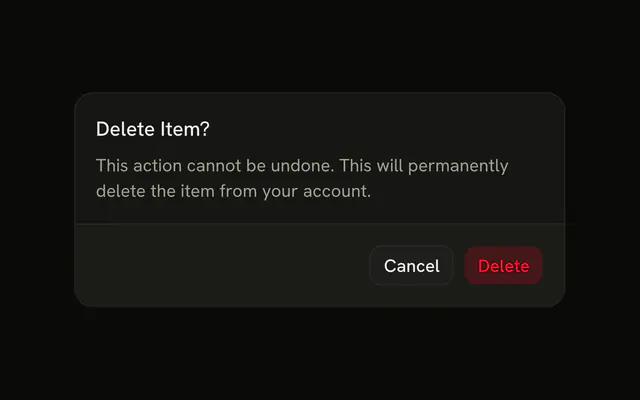
The trigger and the action use the destructive color. A trash icon sits beside the title. The description says the project and its contents would be permanently deleted. The demo does not delete them.
Use the icon and the color together only for a real delete, and name the noun on the button. For a second check, add a Checkbox. In React, Base UI does not remove the project.
Installation
Anatomy

Usage
<AlertDialog>
  <AlertDialogTrigger render={<Button variant="destructive" />}>
    Delete
  </AlertDialogTrigger>
  <AlertDialogContent>
    <AlertDialogHeader>
      <div className="flex items-center gap-2">
        <Trash2Icon aria-hidden="true" className="size-5 text-destructive" />
        <AlertDialogTitle>Delete Project</AlertDialogTitle>
      </div>
      <AlertDialogDescription>
        This will permanently delete the project and all of its contents. This
        action cannot be undone.
      </AlertDialogDescription>
    </AlertDialogHeader>
    <AlertDialogFooter>
      <AlertDialogCancel>Cancel</AlertDialogCancel>
      <AlertDialogAction variant="destructive">
        Delete Project
      </AlertDialogAction>
    </AlertDialogFooter>
  </AlertDialogContent>
</AlertDialog>
FAQ
Which icon fits a destructive action?
A trash can for deleting, a warning triangle for risky operations, a user-minus or X for removing people or access. Avoid a bare X for deletion, since it also means close.
Should the icon match the button color?
Yes. The icon uses text-destructive and the action variant="destructive", so the same theme color marks everything dangerous in the dialog.
What size works beside the title?
size-5 balances with the title text. Larger icons crowd the header; smaller ones read as decoration.
Inline or centered above the title?
Inline, as here, for routine deletions. Center a larger icon for the heaviest ones, like closing an account, as Destructive with Checkbox Confirmation does.
API Reference
Alert Dialog
Sets variant="destructive". The rest is on the Alert Dialog page.
Button
Sets variant="destructive". The rest is on the Button page.