shadcn.io is an independent project built on shadcn/ui
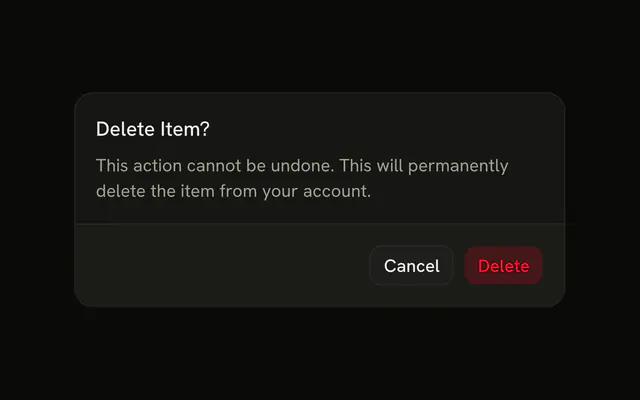
The title is Delete 24 Items, and the action repeats that count. The description says the delete would be permanent. A warning says some items may be referenced. The number is hard-coded. Nothing is deleted.
Show the real count before a bulk delete, and disable the trigger at zero. One item can use a shorter confirm. A Button can show the count before this opens. In React, Base UI does not count the selection.
Installation
Anatomy

Usage
<AlertDialog>
  <AlertDialogTrigger render={<Button variant="destructive" />}>
    Delete Selected
  </AlertDialogTrigger>
  <AlertDialogContent>
    <AlertDialogHeader>
      <AlertDialogTitle>Delete 24 Items?</AlertDialogTitle>
      <AlertDialogDescription>
        You are about to permanently delete 24 selected items. This action
        cannot be undone and all associated data will be lost.
      </AlertDialogDescription>
    </AlertDialogHeader>
    <div className="rounded-md border border-destructive/20 bg-destructive/5 p-3 text-sm">
      <span className="font-medium text-destructive">Warning:</span> Some of
      these items may be referenced by other resources.
    </div>
    <AlertDialogFooter>
      <AlertDialogCancel>Cancel</AlertDialogCancel>
      <AlertDialogAction variant="destructive">
        Delete 24 Items
      </AlertDialogAction>
    </AlertDialogFooter>
  </AlertDialogContent>
</AlertDialog>
FAQ
Where should the count appear?
Everywhere people look before confirming: the title, the description and the action label. The repetition is the safeguard against deleting more than intended.
How do I handle one item?
Pluralize from the count: Delete 1 Item?, not Delete 1 Items?. The demo's 24 is static text; build the strings from your selection.
When should a bulk delete need more confirmation?
As the count grows, so should the friction: add a checkbox or type-to-confirm for large deletions, as in Destructive with Checkbox Confirmation.
How is the warning panel styled?
A rounded-md border panel with border-destructive/20 bg-destructive/5, and the word Warning in text-destructive. Use it for knock-on effects people may not expect, like references from other resources.
API Reference
Alert Dialog
Sets variant="destructive". The rest is on the Alert Dialog page.
Button
Sets variant="destructive". The rest is on the Button page.