shadcn.io is an independent project built on shadcn/ui
The label comes first, then an arrow. The arrow is decorative, so the words have to say where this goes.
Use it for Next, Continue, or Open, when you want the forward cue without a filled button. If there is no next step, skip the arrow. A plain Button is clearer. In React, Ark UI pads the trailing icon after the text.
Installation
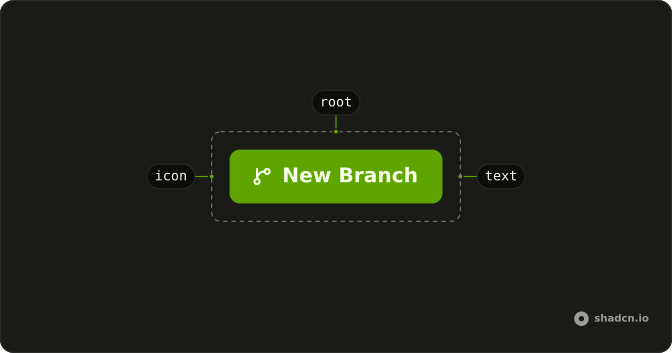
Anatomy
Usage
<Button variant="link">
  Button
  <ArrowRightIcon aria-hidden="true" data-icon="inline-end" />
</Button>
FAQ
Why is there an arrow on a link-styled Button?
ArrowRightIcon follows the label with data-icon="inline-end", so it sits in the icon padding and flips when the direction is right to left. variant="link" is primary text with an underline on hover, and no fill.
Can I use an external-link icon instead?
Yes. Any lucide-react icon works in that slot. Keep data-icon="inline-end" and aria-hidden="true". The icon is a hint. The label should still say where the click goes.
Is the arrow announced?
No. aria-hidden="true" removes it. Change the children from Button to the action, such as Next article, so the accessible name is the action.
Can this sit in a sentence?
Yes. With no fill, the label and the arrow can live in a paragraph or a card footer. Use a filled Button when this should be the main action on the page.
API Reference
Button
Sets variant="link". The rest is on the Button page.