shadcn.io is an independent project built on shadcn/ui
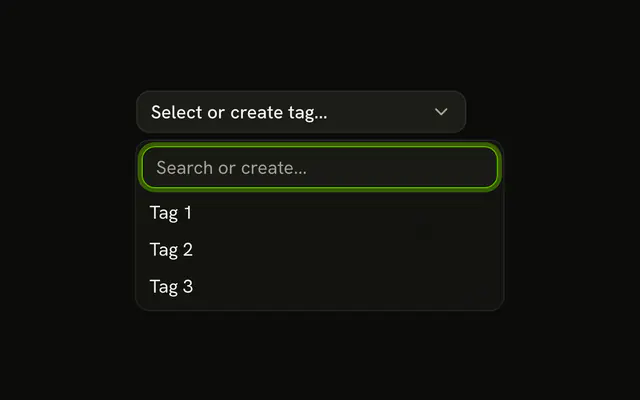
Light, Dark, and System are the choices, and System starts selected. While a theme is set, an X beside the chevron clears it and the button returns to Select theme...
Use it for an optional field, where empty is a valid answer. A value people must keep should drop the X and stay a plain Select. In React, Ark UI does not add that clear button.
Installation
Anatomy

Usage
<div className="relative w-[200px]">
  <Combobox
    collection={collection}
    onInputValueChange={handleInputValueChange}
    onValueChange={handleValueChange}
    positioning={{ getAnchorElement: () => triggerRef.current }}
    selectionBehavior="clear"
    value={value}
  >
    <ComboboxTrigger
      className={cn(
        buttonVariants({ variant: "outline" }),
        "w-full justify-between pe-3"
      )}
      ref={triggerRef}
    >
      {selected ? selected.label : "Select theme..."}
    </ComboboxTrigger>
    <ComboboxContent>
      <ComboboxInput
        className="w-full"
        placeholder="Search themes..."
        showTrigger={false}
      />
      <ComboboxEmpty>No theme found.</ComboboxEmpty>
      <ComboboxList>
        {collection.items.map((theme) => (
          <ComboboxItem item={theme} key={theme.value}>
            {theme.label}
          </ComboboxItem>
        ))}
{/* The rest of the file is under Installation. */}
FAQ
Where is the clear button?
In a relative wrapper around the combobox, positioned absolute end-8 so it lands just before the chevron. It sits next to the trigger, not inside it, since a button can't contain another button.
What does it do?
It empties the value the demo keeps in state, and the combobox shows its placeholder.
The value becomes [].
How is the button labelled?
It's a ghost icon-xs Button with an XIcon and aria-label Clear theme, since the icon has no text.
API Reference
Combobox
Sets collection={collection}, onInputValueChange={handleInputValueChange}, onValueChange={handleValueChange}, positioning, getAnchorElement and cn. The rest is on the Combobox page.
Button
Sets aria-label="Clear theme", onClick={handleClear}, size="icon-xs" and variant="ghost". The rest is on the Button page.