shadcn.io is an independent project built on shadcn/ui
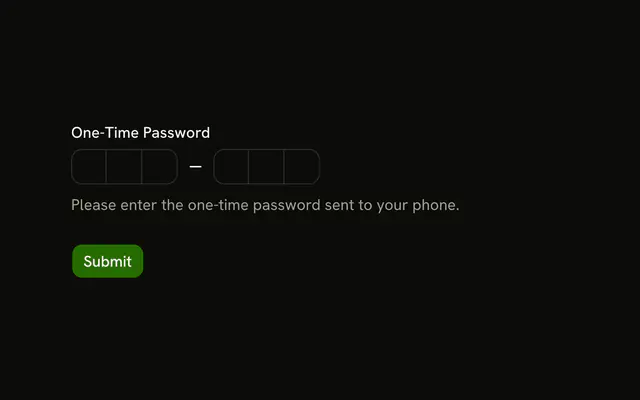
The label reads One-Time Password. Six boxes follow, and the note says Form will auto-submit when all digits are entered. There is no submit button.
Submit on the last digit when a button would only slow people down. Keep a Submit button in the Field when they should review the code first. In React, Ark UI moves to the next box as you type.
Installation
Anatomy
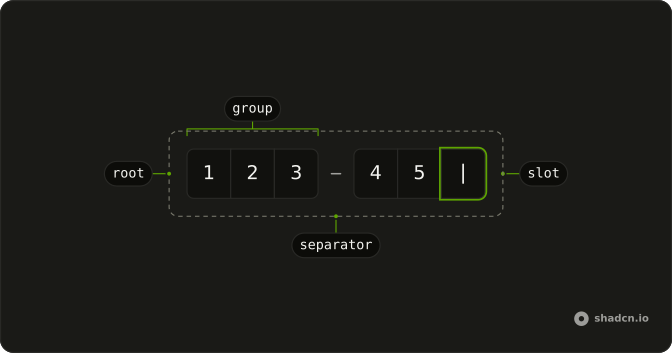
Usage
<form
  className="flex w-full max-w-md flex-col gap-6"
  onSubmit={handleSubmit}
>
  <Field invalid={error !== ""}>
    <FieldLabel>One-Time Password</FieldLabel>
    <InputOTP
      onValueChange={handleValueChange}
      onValueComplete={handleComplete}
      value={value}
    >
      <InputOTPGroup>
        <InputOTPSlot className="bg-background" index={0} />
        <InputOTPSlot className="bg-background" index={1} />
        <InputOTPSlot className="bg-background" index={2} />
      </InputOTPGroup>
      <InputOTPSeparator />
      <InputOTPGroup>
        <InputOTPSlot className="bg-background" index={3} />
        <InputOTPSlot className="bg-background" index={4} />
        <InputOTPSlot className="bg-background" index={5} />
      </InputOTPGroup>
    </InputOTP>
    <FieldDescription>
      Form will auto-submit when all digits are entered.
    </FieldDescription>
    <FieldError>{error}</FieldError>
  </Field>
  {submitted ? (
    <p className="text-muted-foreground text-sm" role="status">
      Code submitted: {submitted}
{/* The rest of the file is under Installation. */}
FAQ
How does the form submit by itself?
The field's completion callback calls the same submit function as the form.
onValueComplete fires when every slot is filled.
What if the form is submitted with a short code?
The form's submit handler runs the same check as auto-submit, so a code shorter than six shows Your one-time password must be 6 characters. in FieldError instead of being sent.
How is the error shown?
invalid on Field follows the error, and FieldError shows the message under the description. The error clears on the next valid submit.
What happens after submitting?
The example shows the result in a status line under the form instead of calling an API. Replace that with your request, and show its error in FieldError when the code is rejected. Here it reads Code submitted: and the code.
API Reference
Field
Sets invalid={error !== ""}. The rest is on the Field page.
Input OTP
Sets onValueChange={handleValueChange}, onValueComplete={handleComplete}, value={value}, index={0}, index={1} and index={2}. The rest is on the Input OTP page.