shadcn.io is an independent project built on shadcn/ui
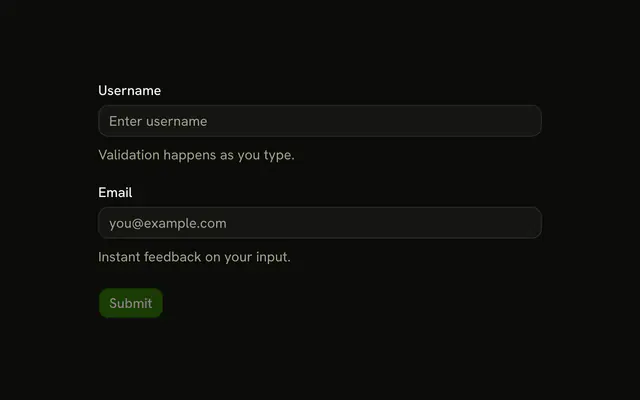
Name and Email each end with an asterisk. Name cannot be empty. Email must be a valid address, or it shows Invalid email address. Submit checks both.
Use it when empty is not an answer. A field people may skip should drop the asterisk and stay an optional Input. In React, Ark UI does not add the asterisk. The label does.
Installation
Usage
<form
  className="w-full max-w-md"
  noValidate
  onSubmit={form.handleSubmit(onSubmit)}
>
  <FieldGroup>
    <Controller
      control={form.control}
      name="name"
      render={({ field, fieldState }) => (
        <Field invalid={fieldState.invalid}>
          <FieldLabel>Name *</FieldLabel>
          <Input {...field} placeholder="Enter your name" />
          <FieldDescription>This field is required.</FieldDescription>
          <FieldError>{fieldState.error?.message}</FieldError>
        </Field>
      )}
    />
    <Controller
      control={form.control}
      name="email"
      render={({ field, fieldState }) => (
        <Field invalid={fieldState.invalid}>
          <FieldLabel>Email *</FieldLabel>
          <Input {...field} placeholder="Enter your email" type="email" />
          <FieldDescription>This field is required.</FieldDescription>
          <FieldError>{fieldState.error?.message}</FieldError>
        </Field>
      )}
    />
    <Field orientation="horizontal">
{/* The rest of the file is under Installation. */}
FAQ
How is the asterisk shown?
It's part of the label text: the FieldLabels read Name and Email . Nothing else marks the fields required.
Which message shows for an empty submit?
Both fields start as "". An empty name fails .min(1, "Name is required"), and an empty email fails z.email("Invalid email address"), so each FieldError shows its message.
Why is there no separate required message for email?
z.email treats an empty string as an invalid address, so blank and malformed emails share "Invalid email address". Add .min(1, …) before it, as the email validation example does, if blank should read differently.
What does the description under each field say?
Both FieldDescriptions say "This field is required." That line is static help text, not the validation message, which shows in the FieldError below it.
API Reference
Field
Sets invalid={fieldState.invalid} and orientation="horizontal". The rest is on the Field page.
Input
Sets field, placeholder="Enter your name", placeholder="Enter your email" and type="email". The rest is on the Input page.
Button
Sets type="submit". The rest is on the Button page.