shadcn.io is an independent project built on shadcn/ui
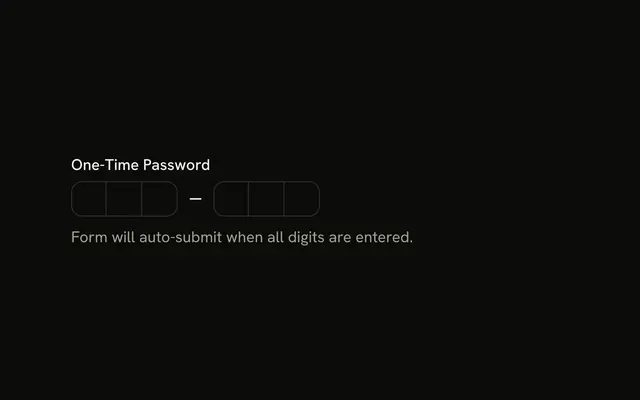
The label reads One-Time Password. Six boxes follow, then Please enter the one-time password sent to your phone. and a Submit button.
Check the length when the form is submitted, and say so if it is short. Put a longer secret in an Input instead of six boxes. In React, Ark UI does not verify the code.
Installation
Anatomy
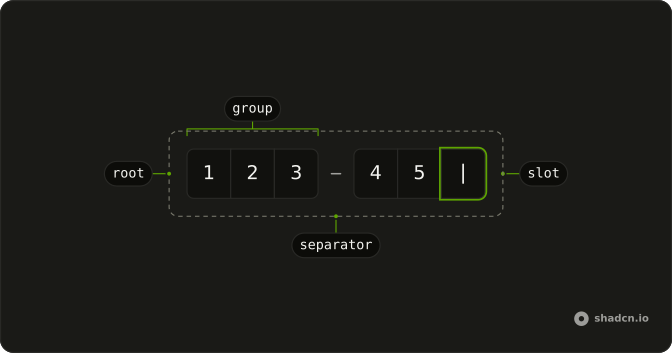
Usage
<form
  className="flex w-full max-w-md flex-col gap-6"
  onSubmit={handleSubmit}
>
  <Field invalid={error !== ""}>
    <FieldLabel>One-Time Password</FieldLabel>
    <InputOTP onValueChange={handleValueChange} value={value}>
      <InputOTPGroup>
        <InputOTPSlot className="bg-background" index={0} />
        <InputOTPSlot className="bg-background" index={1} />
        <InputOTPSlot className="bg-background" index={2} />
      </InputOTPGroup>
      <InputOTPSeparator />
      <InputOTPGroup>
        <InputOTPSlot className="bg-background" index={3} />
        <InputOTPSlot className="bg-background" index={4} />
        <InputOTPSlot className="bg-background" index={5} />
      </InputOTPGroup>
    </InputOTP>
    <FieldDescription>
      Please enter the one-time password sent to your phone.
    </FieldDescription>
    <FieldError>{error}</FieldError>
  </Field>
  <Button className="w-fit" type="submit">
    Submit
  </Button>
  {submitted ? (
    <p className="text-muted-foreground text-sm" role="status">
      You submitted the following values: {submitted}
    </p>
{/* The rest of the file is under Installation. */}
FAQ
How is the code validated?
On submit: the handler stops the page from reloading, joins the code, and sets an error when it's shorter than six characters. Otherwise it accepts the code.
How is the error shown?
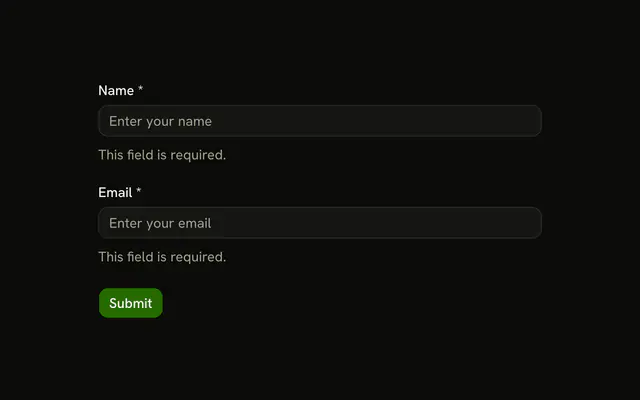
invalid on Field follows the error and FieldError shows the message. Editing the code clears it.
Can I use a form library instead?
Yes. Set invalid from the library's field state and put its message in FieldError; the field doesn't depend on how you validate.
What happens after a valid submit?
The example shows the result in a status line under the form instead of calling an API. Replace that with your request, and show its error in FieldError when the code is rejected. Here it reads You submitted the following values: and the code.
API Reference
Field
Sets invalid={error !== ""}. The rest is on the Field page.
Input OTP
Sets onValueChange={handleValueChange}, value={value}, index={0}, index={1}, index={2} and index={3}. The rest is on the Input OTP page.
Button
Sets type="submit". The rest is on the Button page.