shadcn.io is an independent project built on shadcn/ui
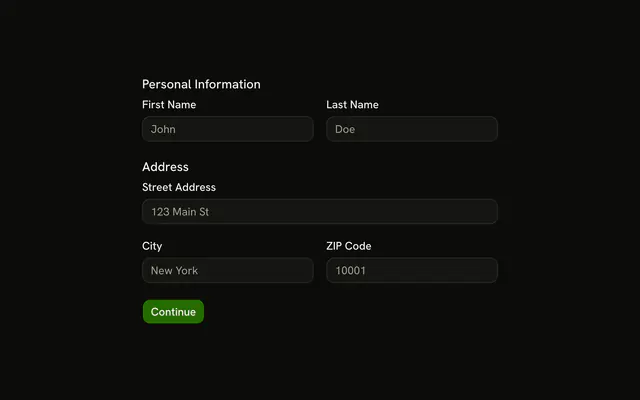
Account Details stacks username and email. Personal Information puts first and last name on one row, then phone. Address puts city, state, and ZIP on one row under the street.
Use it when registration really needs all nine. A shorter account can stop after email on an Input. In React, Ark UI does not split the page into sections.
Installation
Usage
<form className="w-full max-w-md" onSubmit={form.handleSubmit(onSubmit)}>
  <FieldGroup>
    <FieldSet>
      <FieldLegend>Account Details</FieldLegend>
      <FieldGroup>
        <Controller
          control={form.control}
          name="username"
          render={({ field, fieldState }) => (
            <Field invalid={fieldState.invalid}>
              <FieldLabel>Username</FieldLabel>
              <Input {...field} placeholder="johndoe" />
              <FieldError>{fieldState.error?.message}</FieldError>
            </Field>
          )}
        />
        <Controller
          control={form.control}
          name="email"
          render={({ field, fieldState }) => (
            <Field invalid={fieldState.invalid}>
              <FieldLabel>Email</FieldLabel>
              <Input
                {...field}
                placeholder="john@example.com"
                type="email"
              />
              <FieldError>{fieldState.error?.message}</FieldError>
            </Field>
          )}
        />
{/* The rest of the file is under Installation. */}
FAQ
How are the nine fields grouped?
Three FieldSets, each with a FieldLegend and a FieldGroup: Account Details (username, email), Personal Information (first name, last name, phone) and Address (street, then city, state and ZIP). The form is w-full max-w-md.
Which rows are grids?
First and last name share a grid grid-cols-2 gap-4 row. City, State and ZIP share a grid grid-cols-3 gap-4 row. Every other field spans the width.
What does the schema check, with no custom messages?
Username needs 3 characters; first name, last name, street, city and state need 2; email is z.email(); phone and ZIP match patterns. None sets a message, so the errors are Zod's defaults.
API Reference
Field
Sets invalid={fieldState.invalid} and orientation="horizontal". The rest is on the Field page.
Input
Sets field, placeholder="johndoe", placeholder="john@example.com", type="email", placeholder="John" and placeholder="Doe". The rest is on the Input page.
Button
Sets type="submit". The rest is on the Button page.