shadcn.io is an independent project built on shadcn/ui
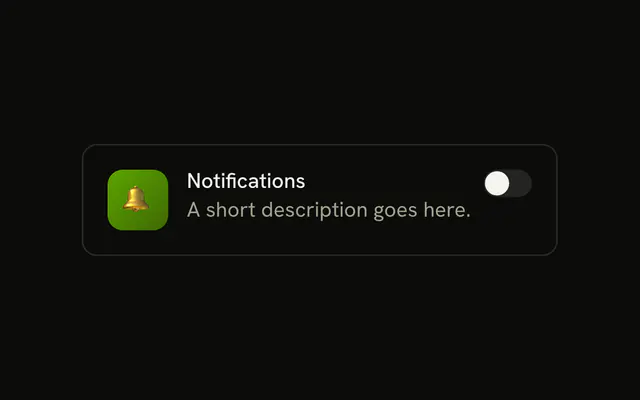
A row shows a bell icon, the label Notifications, and a switch that starts on. The icon is decorative. The label toggles the switch.
The icon helps people scan a long settings list. The label is what names the control. A choice saved on submit fits a Checkbox. In React, Ark UI keeps the on state after the first render unless you control it.
Installation
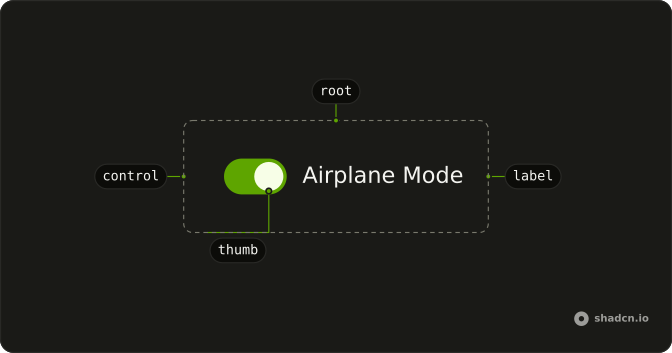
Anatomy
Usage
<div className="flex items-center gap-3">
  <BellIcon aria-hidden="true" className="size-4 text-muted-foreground" />
  <Field className="flex-1" orientation="horizontal">
    <FieldLabel>Notifications</FieldLabel>
    <Switch defaultChecked />
  </Field>
</div>
FAQ
How are the bell, the label and the switch arranged?
The row is flex items-center gap-3, and BellIcon is size-4 text-muted-foreground with aria-hidden. The label and the switch sit in a horizontal Field, where the label grows and pushes the switch to the end.
Why does Notifications toggle the switch?
The FieldLabel and the Switch share a Field.
The Field links the label to the switch, so this file sets no ids.
How do I control this switch in React?
The switch starts on through its default prop, which only sets the starting state; after that it keeps its own state. To control it, keep the on or off state in your own state and pass it back.
The prop is defaultChecked.
Pass checked; onCheckedChange receives details.checked.
Does this switch submit with a form?
Give it a name. When on, it submits its value, which defaults to on. When off, it submits nothing.
API Reference
Field
Sets orientation="horizontal". The rest is on the Field page.
Switch
Sets defaultChecked. The rest is on the Switch page.