shadcn.io is an independent project built on shadcn/ui
Inbox, Unread, Archived and Spam each carry a count: 12, 5, 48 and 3. Unread's badge is filled and the others are quieter. Inbox is selected and lists messages with a subject, a sender and a Read or Unread badge.
Put a count on a tab when people should see which view matters before they open it. A Badge on a heading does that without switching panels. On React, Ark UI does not update those counts.
Installation
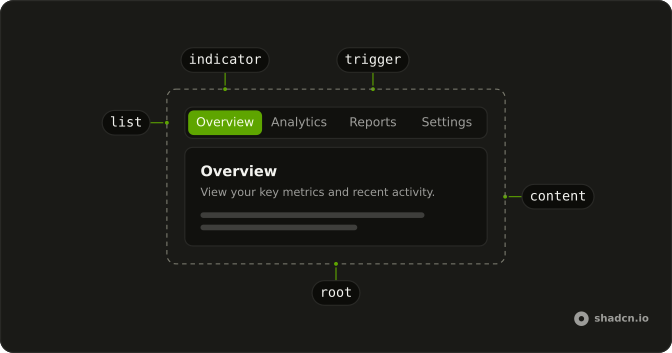
Anatomy
Usage
<Tabs className="w-full max-w-2xl" defaultValue="inbox">
  <TabsList>
    <TabsTrigger value="inbox">
      Inbox
      <Badge variant="secondary">12</Badge>
    </TabsTrigger>
    <TabsTrigger value="unread">
      Unread
      <Badge>5</Badge>
    </TabsTrigger>
    <TabsTrigger value="archived">
      Archived
      <Badge variant="secondary">48</Badge>
    </TabsTrigger>
    <TabsTrigger value="spam">
      Spam
      <Badge variant="secondary">3</Badge>
    </TabsTrigger>
  </TabsList>
  <TabsContent value="inbox">
    <div className="rounded-lg border bg-card p-6 text-card-foreground shadow-sm">
      <h3 className="mb-4 font-semibold text-lg">Inbox (12)</h3>
      <div className="flex flex-col gap-3">
        {inbox.map((message) => (
          <div className="rounded-md border p-4" key={message.subject}>
            <div className="mb-2 flex items-start justify-between gap-2">
              <div>
                <p className="font-medium text-sm">{message.subject}</p>
                <p className="text-muted-foreground text-xs">
                  {message.from}
                </p>
{/* The rest of the file is under Installation. */}
FAQ
How is the count attached to a trigger?
The Badge sits inside TabsTrigger, after the label. The trigger's own gap spaces them, so the badge needs no margin.
Why does Unread look different from the other counts?
Unread's badge uses the default variant, so it is filled. Inbox, Archived and Spam use variant="secondary".
Do these counts change when messages move?
No. The four numbers are written in the triggers, and the panels do not update them. Pass your own counts as each badge's children.
Which tab opens first?
Inbox, the default value on Tabs. The group is w-full max-w-2xl, and the list sizes to its four triggers.
API Reference
Tabs
Sets defaultValue="inbox", value="inbox", value="unread", value="archived" and value="spam". The rest is on the Tabs page.
Badge
Sets variant="secondary" and variant={message.unread ? "default" : "secondary"}. The rest is on the Badge page.