shadcn.io is an independent project built on shadcn/ui
VS Code and Figma sit under Favorites with a filled star. Slack, Notion, GitHub, and Linear follow under All Tools. A rule separates the two groups.
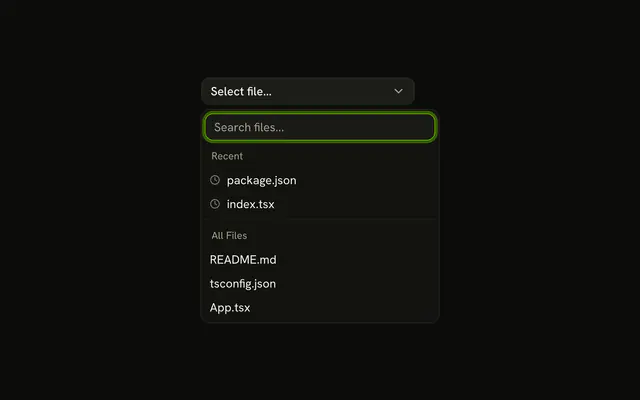
Use it where a few options get most of the picks and should stay at the top. A recent list, rather than a starred one, is the same Combobox with a clock. In React, Base UI does not decide which rows are favorites.
Installation
Anatomy

Usage
<Combobox items={tools}>
  <ComboboxTrigger
    render={
      <Button className="w-[250px] justify-between" variant="outline" />
    }
  >
    <ComboboxValue placeholder="Select tool..." />
  </ComboboxTrigger>
  <ComboboxContent>
    <ComboboxInput placeholder="Search tools..." showTrigger={false} />
    <ComboboxEmpty>No tool found.</ComboboxEmpty>
    <ComboboxList>
      {(group: Group, index: number) => (
        <ComboboxGroup items={group.items} key={group.value}>
          <ComboboxLabel>{group.value}</ComboboxLabel>
          <ComboboxCollection>
            {(item: Item) => (
              <ComboboxItem className="gap-2" key={item.value} value={item}>
                {group.value === "Favorites" ? (
                  <StarIcon
                    aria-hidden="true"
                    className="size-3 fill-warning text-warning"
                  />
                ) : null}
                {item.label}
              </ComboboxItem>
            )}
          </ComboboxCollection>
          {index < tools.length - 1 ? <ComboboxSeparator /> : null}
        </ComboboxGroup>
      )}
{/* The rest of the file is under Installation. */}
FAQ
How are the two sections built?
Two ComboboxGroups, Favorites and All Tools, with a ComboboxSeparator between them.
The heading is a ComboboxLabel at the top of each group.
How is the star drawn?
A StarIcon at size-3 with fill-warning text-warning, rendered only in the Favorites rows. It has aria-hidden, since the heading already says Favorites.
Why don't favorites appear twice?
All Tools lists only the tools that aren't favorites. A tool can be in one group at a time, so it has one row and one value.
Does the search cover both groups?
Yes. Typing filters both, and a group with no matches is hidden. No tool found. shows when neither has one.
What does the button show?
Select tool... until a tool is picked, then its label, whichever group it came from.
How would people manage their favorites?
Keep the favorite list in state or user settings and build both groups from it. A star button on each row, as in Items with Action Buttons, can add and remove them.
API Reference
Combobox
Sets items={tools}, placeholder="Select tool...", placeholder="Search tools...", showTrigger={false}, items={group.items} and value={item}. The rest is on the Combobox page.
Button
Sets variant="outline". The rest is on the Button page.