shadcn.io is an independent project built on shadcn/ui
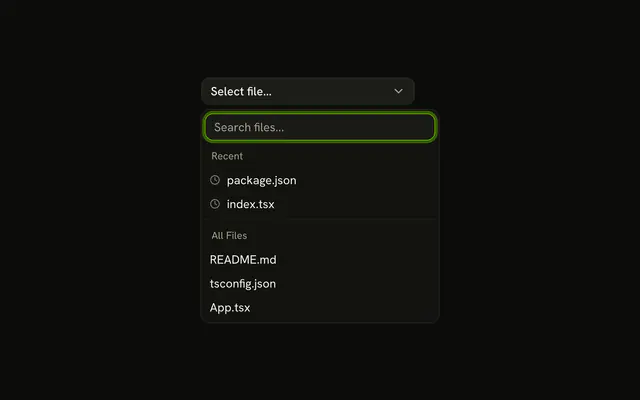
Project Alpha and Project Beta sit under Recent with a clock icon. Project Charlie, Project Delta, and Project Echo follow under All Projects.
Use it in a switcher where people go back to the same few projects. Files, rather than projects, can use the same recent group on a Combobox. In React, Base UI does not know which projects are recent.
Installation
Anatomy

Usage
<Combobox items={projects}>
  <ComboboxTrigger
    render={
      <Button className="w-[250px] justify-between" variant="outline" />
    }
  >
    <ComboboxValue placeholder="Select project..." />
  </ComboboxTrigger>
  <ComboboxContent>
    <ComboboxInput placeholder="Search projects..." showTrigger={false} />
    <ComboboxEmpty>No project found.</ComboboxEmpty>
    <ComboboxList>
      {(group: Group, index: number) => (
        <ComboboxGroup items={group.items} key={group.value}>
          <ComboboxLabel>{group.value}</ComboboxLabel>
          <ComboboxCollection>
            {(item: Item) => (
              <ComboboxItem className="gap-2" key={item.value} value={item}>
                {group.value === "Recent" ? (
                  <ClockIcon
                    aria-hidden="true"
                    className="size-3 opacity-50"
                  />
                ) : null}
                {item.label}
              </ComboboxItem>
            )}
          </ComboboxCollection>
          {index < projects.length - 1 ? <ComboboxSeparator /> : null}
        </ComboboxGroup>
      )}
{/* The rest of the file is under Installation. */}
FAQ
How are Recent and All Projects built?
Two ComboboxGroups with a ComboboxSeparator between them. Each project belongs to one of them.
How is the clock drawn?
A ClockIcon at size-3 opacity-50, rendered only in the Recent rows and hidden from screen readers.
Why aren't recent projects listed twice?
All Projects lists only those that aren't recent, so each project has one row and one value.
Does the search cover both groups?
Yes. A group with no matches is hidden, and No project found. shows when neither has one.
How do I keep Recent up to date?
The demo's list is fixed. In an app, store the last few picks, newest first, and build both groups from them on each render. Recent Selections Section shows a version that updates as you pick.
API Reference
Combobox
Sets items={projects}, placeholder="Select project...", placeholder="Search projects...", showTrigger={false}, items={group.items} and value={item}. The rest is on the Combobox page.
Button
Sets variant="outline". The rest is on the Button page.