shadcn.io is an independent project built on shadcn/ui
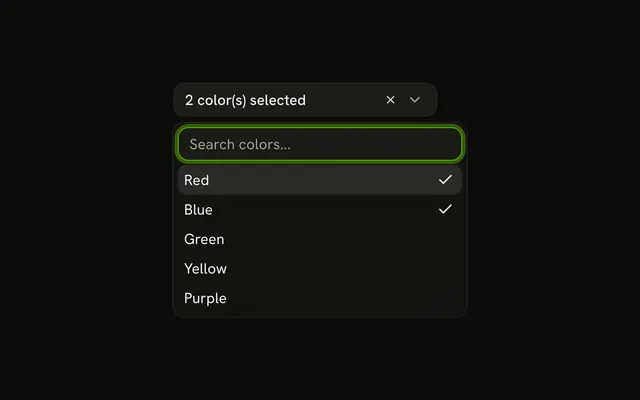
The button reads 2 topic(s) selected. Frontend and Backend start selected and show as badges under the field, so the button stays one line as more topics are added.
Use it in a form where the picks should stay visible without crowding the button. Chips inside the field are a Combobox with badges in the control. In React, Base UI keeps the picks as a list.
Installation
Anatomy

Usage
<div className="flex flex-col gap-2">
  <Combobox items={topics} multiple onValueChange={setValue} value={value}>
    <ComboboxTrigger
      render={
        <Button className="w-[250px] justify-between" variant="outline" />
      }
    >
      {value.length > 0
        ? `${value.length} topic(s) selected`
        : "Select topics..."}
    </ComboboxTrigger>
    <ComboboxContent>
      <ComboboxInput placeholder="Search topics..." showTrigger={false} />
      <ComboboxEmpty>No topic found.</ComboboxEmpty>
      <ComboboxList>
        {(topic: Topic) => (
          <ComboboxItem key={topic.value} value={topic}>
            {topic.label}
          </ComboboxItem>
        )}
      </ComboboxList>
    </ComboboxContent>
  </Combobox>
  {value.length > 0 ? (
    <div className="flex flex-wrap gap-1">
      {value.map((topic) => (
        <Badge key={topic.value} variant="secondary">
          {topic.label}
        </Badge>
      ))}
    </div>
{/* The rest of the file is under Installation. */}
FAQ
Where is the selection kept?
In the demo's state, passed to Combobox and updated on every change. Both the button and the badges read from it.
The value is an array of topic items, starting with the first two.
What does the button show?
The number of picked topics, as 2 topic(s) selected, or Select topics... when none are.
How are the badges rendered?
A flex flex-wrap gap-1 row of secondary Badges, one per picked topic, below the combobox. The row is hidden when nothing is selected.
How do I remove a topic?
Open the list and pick it again: in a multiple combobox a second pick clears it. The badges are display only. Add a remove button to them if people should clear picks from there.
API Reference
Combobox
Sets items={topics}, multiple, onValueChange={setValue}, value={value}, placeholder="Search topics..." and showTrigger={false}. The rest is on the Combobox page.
Button
Sets variant="outline". The rest is on the Button page.
Badge
Sets variant="secondary". The rest is on the Badge page.