shadcn.io is an independent project built on shadcn/ui
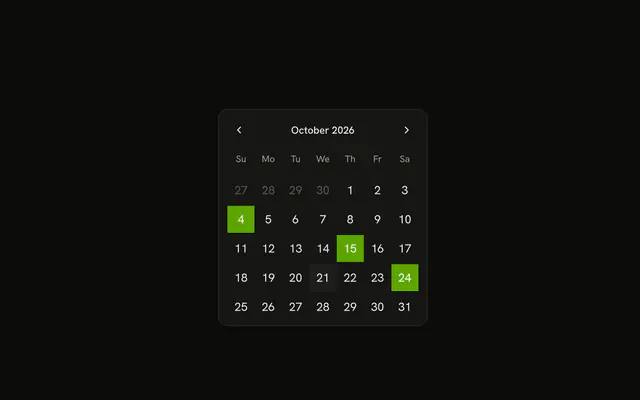
The button shows a calendar icon and today's date. In the month, the days are round, and the 6th, the 14th and the 25th are bold on a tinted background.
Bold a day when it means something, such as a booked date. A Calendar can mark the same days outside a field. Base UI in React does not know which days are booked.
Installation
Anatomy
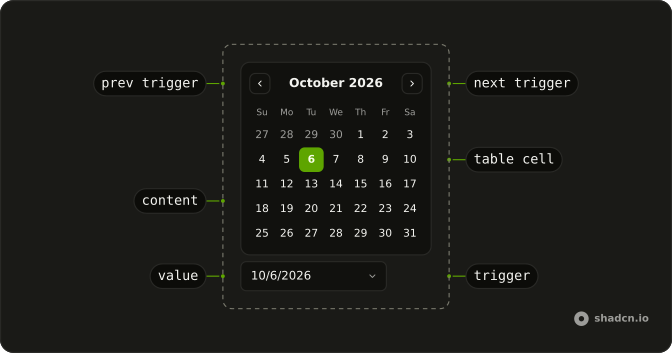
Usage
<DatePicker
  onValueChange={handleValueChange}
  positioning={positioning}
  value={value}
>
  <DatePickerTrigger asChild>
    <Button className="w-70 justify-start font-normal" variant="outline">
      <CalendarIcon aria-hidden="true" data-icon="inline-start" />
      <span>{date ? formatDate(date) : "Pick a date"}</span>
    </Button>
  </DatePickerTrigger>
  <DatePickerContent>
    <DatePickerViewControl>
      <DatePickerPrevTrigger />
      <DatePickerViewDate />
      <DatePickerNextTrigger />
    </DatePickerViewControl>
    <DatePickerTable>
      <DatePickerWeekDays />
      <BookedDays />
    </DatePickerTable>
  </DatePickerContent>
</DatePicker>
FAQ
How are the booked days styled?
The example renders the month's weeks itself and gives each day cell rounded-full, plus bg-warning/20 font-bold text-warning-foreground when the day is in the booked list. The selected day keeps the primary fill.
Which days are booked?
The 6th, 14th and 25th of the current month, built once when the module loads. Replace the list with dates from your data.
Can a booked day still be picked?
Yes, the styling doesn't change behavior. To block those days, return true for them from isDateUnavailable, as the disabled dates example does.
What does the button say?
The selected date in long form, such as October 10, 2026, or Pick a date when nothing is selected. The button prints the value itself, formatted with Intl.DateTimeFormat, so the text needs no date library.
API Reference
Date Picker
Sets onValueChange={handleValueChange}, positioning={positioning}, value={value} and asChild. The rest is on the Date Picker page.
Button
Sets variant="outline". The rest is on the Button page.