shadcn.io is an independent project built on shadcn/ui
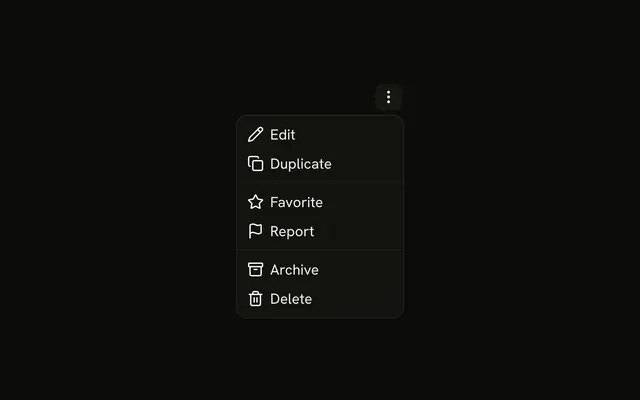
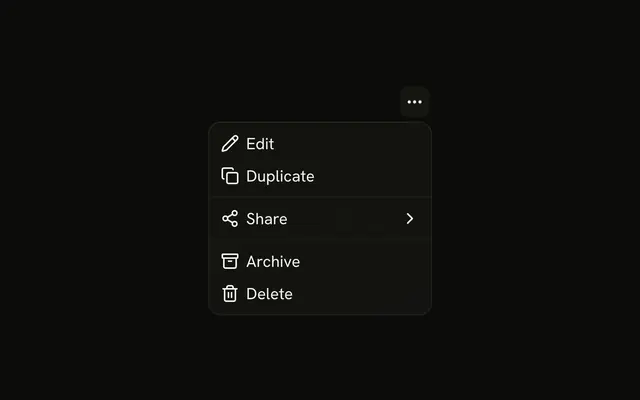
A dots button lists View Details, Download, Share, Duplicate, Archive, and a destructive Delete. Duplicate prints ⌘D and Delete prints ⌘⌫. Those hints are not listeners.
Use it beside a file when the commands should stay off the row. If delete cannot be undone, confirm in an Alert Dialog. In React, Base UI does not download the file or bind the keys.
Installation
Anatomy

Usage
<DropdownMenu>
  <DropdownMenuTrigger
    render={
      <Button aria-label="File actions" size="icon-md" variant="ghost" />
    }
  >
    <MoreHorizontalIcon aria-hidden="true" />
  </DropdownMenuTrigger>
  <DropdownMenuContent align="end" className="w-48">
    <DropdownMenuItem>
      <EyeIcon aria-hidden="true" />
      View Details
    </DropdownMenuItem>
    <DropdownMenuItem>
      <DownloadIcon aria-hidden="true" />
      Download
    </DropdownMenuItem>
    <DropdownMenuItem>
      <Share2Icon aria-hidden="true" />
      Share
    </DropdownMenuItem>
    <DropdownMenuItem>
      <CopyIcon aria-hidden="true" />
      Duplicate
      <DropdownMenuShortcut>⌘D</DropdownMenuShortcut>
    </DropdownMenuItem>
    <DropdownMenuSeparator />
    <DropdownMenuItem>
      <ArchiveIcon aria-hidden="true" />
      Archive
    </DropdownMenuItem>
{/* The rest of the file is under Installation. */}
FAQ
What actions are on this file?
View Details, Download, Share and Duplicate, then a separator, then Archive and Delete. Duplicate shows ⌘D and Delete shows ⌘⌫, each in a DropdownMenuShortcut. The shortcut only prints the hint: bind the keys on the page yourself.
How is Delete marked?
variant="destructive" on that DropdownMenuItem, after a trash icon. Archive, above it, keeps the default variant. The variant only colors the row; it doesn't confirm the delete.
What does the trigger look like?
A ghost Button with size="icon-md", aria-label set to File actions and a dots icon. The menu is w-48 and lines up with the end of the button.
align="end" on DropdownMenuContent sets it; align defaults to start.
Where do the row icons go?
An eye, download, share, copy, archive and trash icon come first in each DropdownMenuItem, with aria-hidden, and the label follows. The item spaces and sizes them.
API Reference
Dropdown Menu
Sets align="end" and variant="destructive". The rest is on the Dropdown Menu page.
Button
Sets aria-label="File actions", size="icon-md" and variant="ghost". The rest is on the Button page.