shadcn.io is an independent project built on shadcn/ui
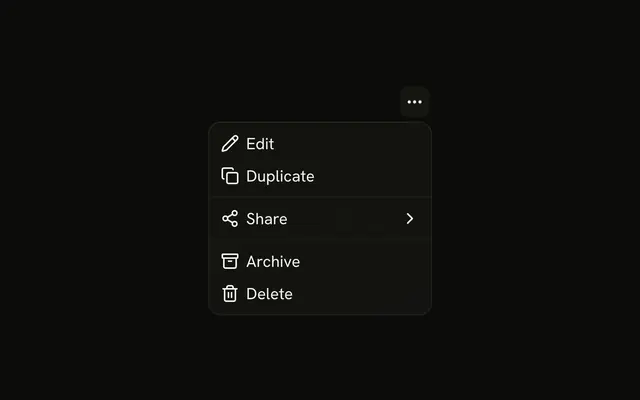
A small vertical-dots button opens Edit, Duplicate, Favorite, Report, Archive, and a destructive Delete. The button reads Row actions and does not name the row.
Use it when a row has several actions and no room for each button. The same list on a right-click is a Context Menu. In React, Base UI does not know which row you meant.
Installation
Anatomy

Usage
<DropdownMenu>
  <DropdownMenuTrigger
    render={
      <Button aria-label="Row actions" size="icon-sm" variant="ghost" />
    }
  >
    <MoreVerticalIcon aria-hidden="true" />
  </DropdownMenuTrigger>
  <DropdownMenuContent align="end" className="w-40">
    <DropdownMenuItem>
      <PencilIcon aria-hidden="true" />
      Edit
    </DropdownMenuItem>
    <DropdownMenuItem>
      <CopyIcon aria-hidden="true" />
      Duplicate
    </DropdownMenuItem>
    <DropdownMenuSeparator />
    <DropdownMenuItem>
      <StarIcon aria-hidden="true" />
      Favorite
    </DropdownMenuItem>
    <DropdownMenuItem>
      <FlagIcon aria-hidden="true" />
      Report
    </DropdownMenuItem>
    <DropdownMenuSeparator />
    <DropdownMenuItem>
      <ArchiveIcon aria-hidden="true" />
      Archive
    </DropdownMenuItem>
{/* The rest of the file is under Installation. */}
FAQ
What actions are on the row?
Edit and Duplicate, a separator, Favorite and Report, a separator, then Archive and Delete. Each row starts with an icon that is aria-hidden.
How is Delete marked?
variant="destructive" on that DropdownMenuItem, after a trash icon. Archive, next to it, keeps the default variant. The variant colors the row and doesn't confirm the action.
What does the trigger look like?
A ghost Button with size="icon-sm", aria-label set to Row actions and a vertical dots icon. The menu lines up with the end of the button.
align="end" on DropdownMenuContent sets it; align defaults to start.
Should the button say which row it acts on?
In a real table, yes. Every row's button reads Row actions here; include the row's name in its aria-label, such as Actions for invoice 1042, so screen reader users know which row they're on.
Should this open on right-click instead?
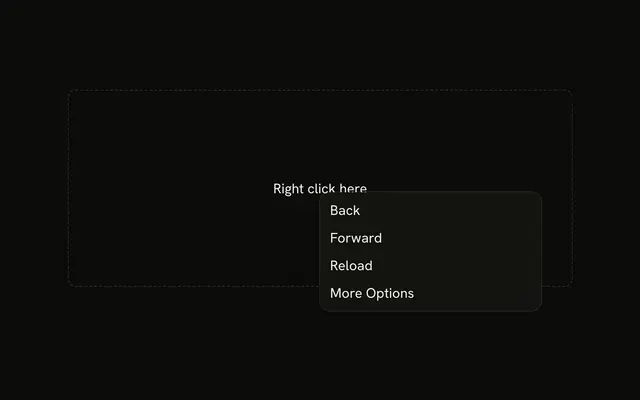
This demo opens from the row's button. Use a Context Menu when the same list should open from a right-click or a long press on the row; keep the button too, since a right-click is hard to discover.
API Reference
Dropdown Menu
Sets align="end" and variant="destructive". The rest is on the Dropdown Menu page.
Button
Sets aria-label="Row actions", size="icon-sm" and variant="ghost". The rest is on the Button page.