shadcn.io is an independent project built on shadcn/ui
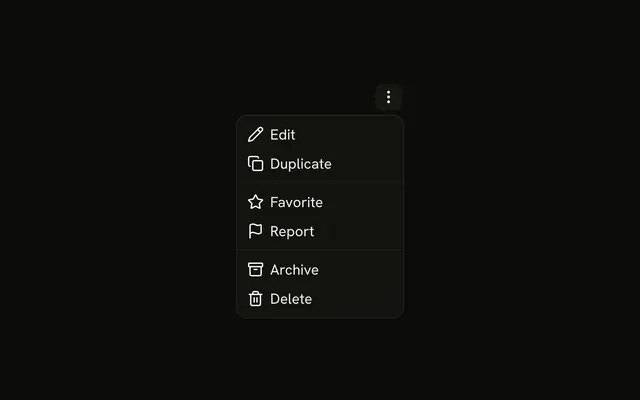
A dots button opens Edit, Duplicate, a Share submenu, Archive, and a destructive Delete. Share holds Email, Twitter, Facebook, and LinkedIn.
Use it on a card when share targets would push the card's own actions out of sight. A right-click list is a Context Menu. In React, Base UI opens Share and does not send it.
Installation
Anatomy

Usage
<DropdownMenu>
  <DropdownMenuTrigger
    render={
      <Button aria-label="Card actions" size="icon-sm" variant="ghost" />
    }
  >
    <MoreHorizontalIcon aria-hidden="true" />
  </DropdownMenuTrigger>
  <DropdownMenuContent align="end" className="w-48">
    <DropdownMenuItem>
      <PencilIcon aria-hidden="true" />
      Edit
    </DropdownMenuItem>
    <DropdownMenuItem>
      <CopyIcon aria-hidden="true" />
      Duplicate
    </DropdownMenuItem>
    <DropdownMenuSeparator />
    <DropdownMenuSub>
      <DropdownMenuSubTrigger>
        <Share2Icon aria-hidden="true" />
        Share
      </DropdownMenuSubTrigger>
      <DropdownMenuPortal>
        <DropdownMenuSubContent>
          <DropdownMenuItem>
            <MailIcon aria-hidden="true" />
            Email
          </DropdownMenuItem>
          <DropdownMenuItem>
            <AtSignIcon aria-hidden="true" />
{/* The rest of the file is under Installation. */}
FAQ
What opens the card actions?
A ghost Button with size="icon-sm" and aria-label set to Card actions, holding a dots icon that is aria-hidden.
DropdownMenuTrigger renders the button through render, and the icon goes inside the trigger.
Where does the menu open?
Below the button, lined up with its end edge, and it flips to stay on screen. The menu is w-48.
align="end" on DropdownMenuContent does it; align defaults to start.
What is the order of the rows?
Edit, Duplicate, a separator, the Share submenu, a separator, then Archive and Delete. Each row starts with an icon that is aria-hidden.
API Reference
Dropdown Menu
Sets align="end" and variant="destructive". The rest is on the Dropdown Menu page.
Button
Sets aria-label="Card actions", size="icon-sm" and variant="ghost". The rest is on the Button page.