shadcn.io is an independent project built on shadcn/ui
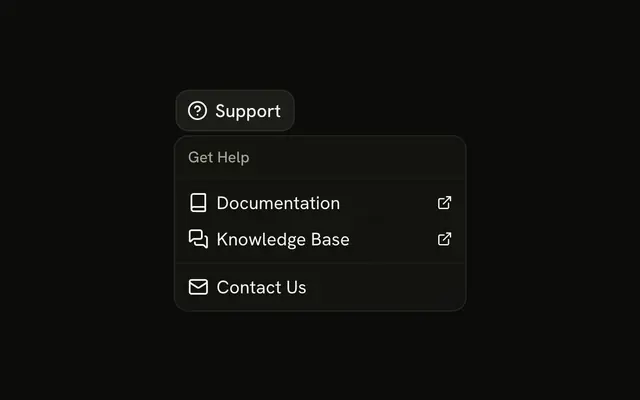
Resources lists Getting Started, API Reference, and Video Guides, then Code Examples and GitHub Repository, then Community Forum. Each row shows an external icon.
Use it when those links should stay out of the header. The icon does not open a URL. Links that should stay visible fit a Navigation Menu. In React, Base UI does not navigate.
Installation
Anatomy

Usage
<DropdownMenu>
  <DropdownMenuTrigger render={<Button variant="outline" />}>
    <BookOpenIcon aria-hidden="true" data-icon="inline-start" />
    Resources
  </DropdownMenuTrigger>
  <DropdownMenuContent className="w-56">
    <DropdownMenuGroup>
      <DropdownMenuLabel>Learning Resources</DropdownMenuLabel>
      <DropdownMenuSeparator />
      <DropdownMenuItem>
        <BookOpenIcon aria-hidden="true" />
        Getting Started
        <ExternalLinkIcon aria-hidden="true" className="ms-auto size-3" />
      </DropdownMenuItem>
      <DropdownMenuItem>
        <FileTextIcon aria-hidden="true" />
        API Reference
        <ExternalLinkIcon aria-hidden="true" className="ms-auto size-3" />
      </DropdownMenuItem>
      <DropdownMenuItem>
        <VideoIcon aria-hidden="true" />
        Video Guides
        <ExternalLinkIcon aria-hidden="true" className="ms-auto size-3" />
      </DropdownMenuItem>
    </DropdownMenuGroup>
    <DropdownMenuSeparator />
    <DropdownMenuGroup>
      <DropdownMenuLabel>Developer</DropdownMenuLabel>
      <DropdownMenuItem>
        <CodeIcon aria-hidden="true" />
        Code Examples
{/* The rest of the file is under Installation. */}
FAQ
How are the resources grouped?
Two DropdownMenuGroups, Learning Resources and Developer, each starting with its DropdownMenuLabel, then Community Forum after a last separator. The menu is w-56.
What is the small icon at the end of each row?
An external link icon at size-3, pushed to the end with ms-auto and aria-hidden. It says the row leaves the app; say it in text too, such as with aria-label, if that matters to screen reader users.
Does a row open a URL by itself?
No. The rows are plain items with no link. Open the page from each row's handler, or make the rows links.
Render a row as a link with render on DropdownMenuItem.
Is Learning Resources a choice?
No. It's a DropdownMenuLabel that names its group; it can't be focused or picked.
API Reference
Dropdown Menu
No extra props in this demo. The rest is on the Dropdown Menu page.
Button
Sets variant="outline". The rest is on the Button page.