shadcn.io is an independent project built on shadcn/ui
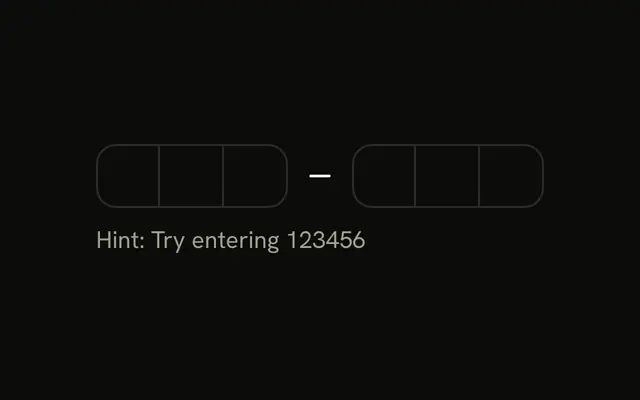
Three labeled fields stack on the page. 4-Digit OTP is four boxes. 6-Digit OTP is two groups of three. 8-Digit OTP is two groups of four.
Match the length to the code you send. A single Input is easier when the length is not fixed. In React, Base UI moves to the next box as you type.
Installation
Anatomy
Usage
<div className="flex flex-col gap-6">
  <Field>
    <FieldLabel htmlFor="otp-length-4">4-Digit OTP</FieldLabel>
    <InputOTP id="otp-length-4" maxLength={4}>
      <InputOTPGroup>
        <InputOTPSlot className="bg-background" index={0} />
        <InputOTPSlot className="bg-background" index={1} />
        <InputOTPSlot className="bg-background" index={2} />
        <InputOTPSlot className="bg-background" index={3} />
      </InputOTPGroup>
    </InputOTP>
  </Field>
  <Field>
    <FieldLabel htmlFor="otp-length-6">6-Digit OTP</FieldLabel>
    <InputOTP id="otp-length-6" maxLength={6}>
      <InputOTPGroup>
        <InputOTPSlot className="bg-background" index={0} />
        <InputOTPSlot className="bg-background" index={1} />
        <InputOTPSlot className="bg-background" index={2} />
      </InputOTPGroup>
      <InputOTPSeparator />
      <InputOTPGroup>
        <InputOTPSlot className="bg-background" index={3} />
        <InputOTPSlot className="bg-background" index={4} />
        <InputOTPSlot className="bg-background" index={5} />
      </InputOTPGroup>
    </InputOTP>
  </Field>
  <Field>
    <FieldLabel htmlFor="otp-length-8">8-Digit OTP</FieldLabel>
    <InputOTP id="otp-length-8" maxLength={8}>
{/* The rest of the file is under Installation. */}
FAQ
How should I group each length?
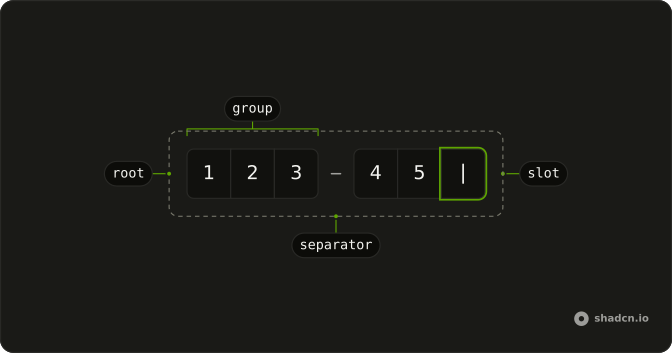
Short codes read best in one block. Split longer ones in the middle, as here: three and three for six digits, four and four for eight, with an InputOTPSeparator between the groups.
How do the indexes work in the eight-digit field?
They count through the whole code, 0 to 7: 0 to 3 in the first group and 4 to 7 in the second.
How is each field labeled?
Each sits in its own Field with a FieldLabel: 4-Digit OTP, 6-Digit OTP and 8-Digit OTP.
Each FieldLabel sets htmlFor to the id on its InputOTP.
API Reference
Field
Sets htmlFor="otp-length-4", htmlFor="otp-length-6" and htmlFor="otp-length-8". The rest is on the Field page.
Input OTP
Sets id="otp-length-4", maxLength={4}, index={0}, index={1}, index={2} and index={3}. The rest is on the Input OTP page.