shadcn.io is an independent project built on shadcn/ui
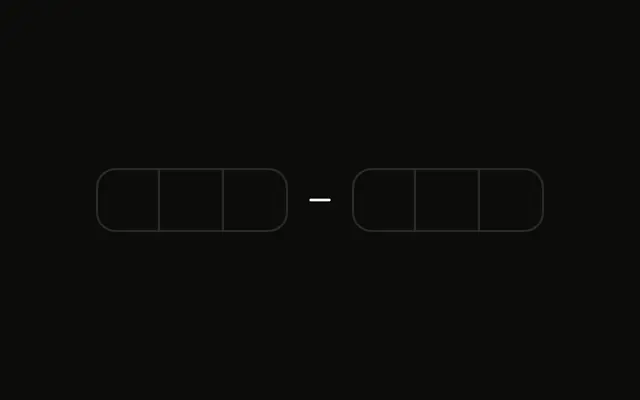
Six boxes sit blurred beside an eye button. A line under them says Toggle visibility to show/hide the entered code.
Blur the code when it might be read over someone's shoulder. A Password Input fits a password, not a one-time code. In React, Base UI moves to the next box as you type.
Installation
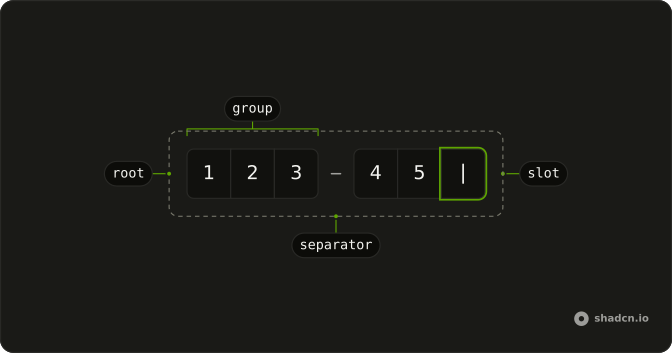
Anatomy
Usage
<div className="flex flex-col gap-4">
  <div className="flex items-center gap-2">
    <div className={cn(!showValue && "select-none blur-sm")}>
      <InputOTP maxLength={6} onChange={handleValueChange} value={value}>
        <InputOTPGroup>
          <InputOTPSlot className="bg-background" index={0} />
          <InputOTPSlot className="bg-background" index={1} />
          <InputOTPSlot className="bg-background" index={2} />
        </InputOTPGroup>
        <InputOTPSeparator />
        <InputOTPGroup>
          <InputOTPSlot className="bg-background" index={3} />
          <InputOTPSlot className="bg-background" index={4} />
          <InputOTPSlot className="bg-background" index={5} />
        </InputOTPGroup>
      </InputOTP>
    </div>
    <Button
      aria-label={showValue ? "Hide code" : "Show code"}
      onClick={handleToggle}
      size="icon-md"
      type="button"
      variant="ghost"
    >
      {showValue ? (
        <EyeOffIcon aria-hidden="true" />
      ) : (
        <EyeIcon aria-hidden="true" />
      )}
    </Button>
  </div>
{/* The rest of the file is under Installation. */}
FAQ
How is the code hidden?
The field's wrapper gets blur-sm and select-none while the code is hidden. The digits are still typed normally; they're just unreadable on screen.
How does the eye button work?
Whether the code is shown lives in state. The ghost Button at size icon-md flips it and swaps EyeIcon for EyeOffIcon.
How do screen readers know what the button does?
Its aria-label follows the state: Show code while hidden, Hide code while shown. The icons have aria-hidden.
Can the slots show dots instead?
The slots draw the typed characters, so blurring the field, as here, is the simplest way to hide them.
API Reference
Input OTP
Sets maxLength={6}, onChange={handleValueChange}, value={value}, index={0}, index={1} and index={2}. The rest is on the Input OTP page.
Button
Sets aria-label={showValue ? "Hide code" : "Show code"}, onClick={handleToggle}, size="icon-md", type="button" and variant="ghost". The rest is on the Button page.