shadcn.io is an independent project built on shadcn/ui
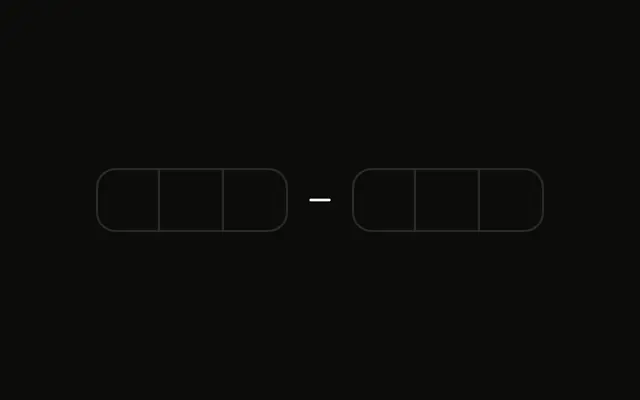
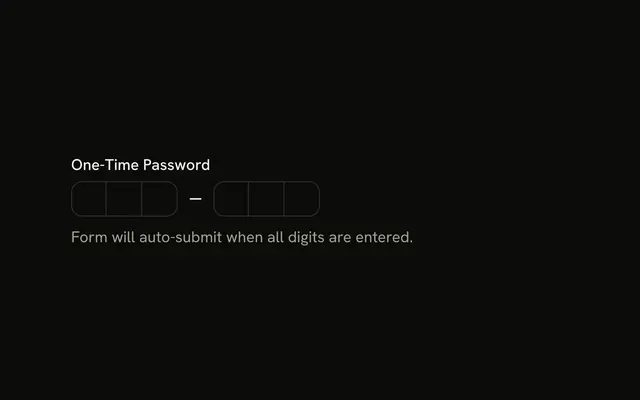
Six boxes sit blurred beside an eye button. A line under them says Toggle visibility to show/hide the entered code.
Blur the code when it might be read over someone's shoulder. A Password Input fits a password, not a one-time code. In Vue, Ark UI moves to the next box as you type.
Installation
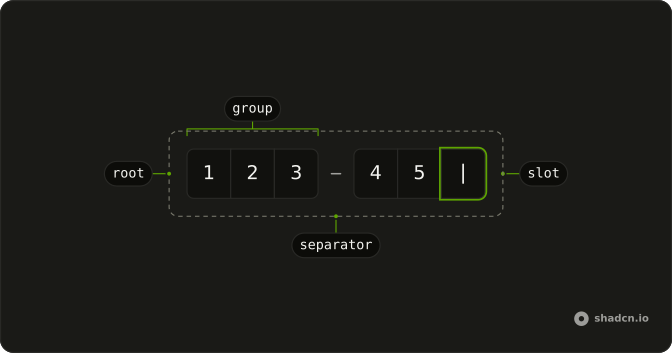
Anatomy
Usage
<div class="flex flex-col gap-4">
  <div class="flex items-center gap-2">
    <div :class='cn(!showValue && "select-none blur-sm")'>
      <InputOTP @value-change="handleValueChange" :value="value">
        <InputOTPGroup>
          <InputOTPSlot class="bg-background" :index="0" />
          <InputOTPSlot class="bg-background" :index="1" />
          <InputOTPSlot class="bg-background" :index="2" />
        </InputOTPGroup>
        <InputOTPSeparator />
        <InputOTPGroup>
          <InputOTPSlot class="bg-background" :index="3" />
          <InputOTPSlot class="bg-background" :index="4" />
          <InputOTPSlot class="bg-background" :index="5" />
        </InputOTPGroup>
      </InputOTP>
    </div>
    <Button
      :aria-label='showValue ? "Hide code" : "Show code"'
      @click="handleToggle"
      size="icon-md"
      type="button"
      variant="ghost"
    >
      <EyeOffIcon v-if="showValue" aria-hidden="true" />
      <EyeIcon v-else aria-hidden="true" />
    </Button>
  </div>
  <p class="text-muted-foreground text-sm">
    Toggle visibility to show/hide the entered code.
  </p>
</div>
FAQ
How is the code hidden?
The field's wrapper gets blur-sm and select-none while the code is hidden. The digits are still typed normally; they're just unreadable on screen.
How does the eye button work?
Whether the code is shown lives in state. The ghost Button at size icon-md flips it and swaps EyeIcon for EyeOffIcon.
How do screen readers know what the button does?
Its aria-label follows the state: Show code while hidden, Hide code while shown. The icons have aria-hidden.
Can the slots show dots instead?
Yes. Set mask on InputOTP and each slot shows a dot, like a password field; toggle it from the same state as the blur.
API Reference
Input OTP
Sets value-change="handleValueChange", value="value", index="0", index="1", index="2" and index="3". The rest is on the Input OTP page.
Button
Sets aria-label="showValue ? Hide code : Show code", click="handleToggle", size="icon-md", type="button" and variant="ghost". The rest is on the Button page.