shadcn.io is an independent project built on shadcn/ui
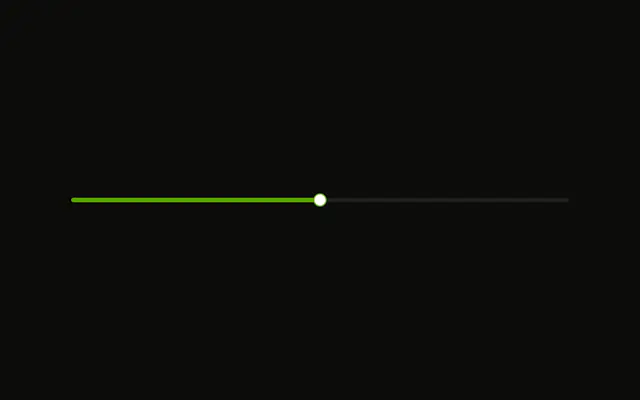
Volume starts at 50%, with that number beside the label. The control runs from 0% to 100%, and those ends are labeled under the track. Dragging updates the number.
Use it for one value, such as volume, when the native range is enough. A styled track, two thumbs, or tick marks need Slider. In React, Base UI does not add a second thumb here.
Installation
Anatomy
Usage
<Field className="w-full max-w-sm">
  <div className="flex items-center justify-between">
    <FieldLabel htmlFor="range-volume">Volume</FieldLabel>
    <span className="font-medium text-sm">{value}%</span>
  </div>
  <Input
    className="cursor-pointer bg-background"
    id="range-volume"
    max="100"
    min="0"
    onChange={handleChange}
    type="range"
    value={value}
  />
  <div className="flex justify-between text-muted-foreground text-xs">
    <span>0%</span>
    <span>100%</span>
  </div>
</Field>
FAQ
What kind of field is this?
An Input with type range, min 0 and max 100. The browser draws the track and the thumb; the arrow keys move it by one.
How does the percentage follow the thumb?
The value lives in state, starts at 50, and is written back on every change, so the number beside the label updates as the thumb moves.
Why convert the value to a number?
An input's value is always a string, even for a range. Converting it keeps the state a number, ready for math or for an API that expects one.
What are the labels under the track?
A row with justify-between that shows 0% and 100% in text-xs and text-muted-foreground. They are plain text; min and max set the real bounds.
When should I use the Slider component instead?
When you need a styled track, two thumbs for a range, marks or vertical orientation. Slider does all of that; a range input is the lightest option for a single value.
API Reference
Field
Sets htmlFor="range-volume". The rest is on the Field page.
Input
Sets id="range-volume", max="100", min="0", onChange={handleChange}, type="range" and value={value}. The rest is on the Input page.