shadcn.io is an independent project built on shadcn/ui
Edit opens Cut, Copy and Paste, then a separator, then Delete. Delete is the only row in the destructive color.
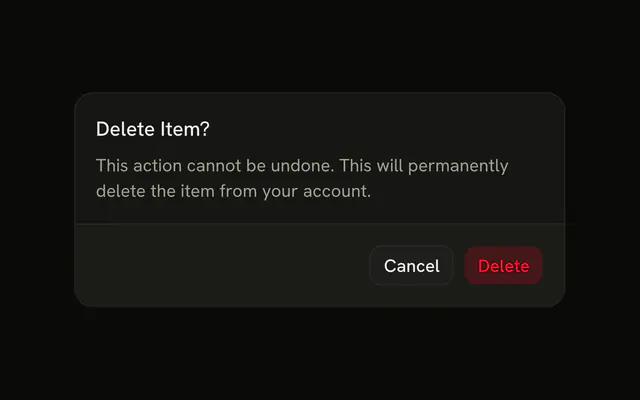
Set a dangerous command apart, after a line and in the destructive color. If the delete cannot be undone, confirm it in an Alert Dialog. In React, Base UI does not ask for that confirmation.
Installation
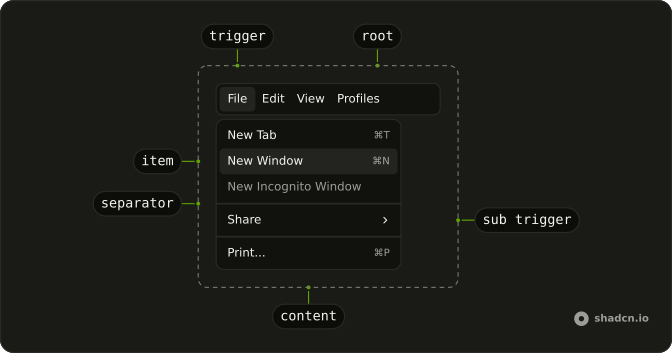
Anatomy
Usage
<Menubar>
  <MenubarMenu>
    <MenubarTrigger>Edit</MenubarTrigger>
    <MenubarContent>
      <MenubarItem>Cut</MenubarItem>
      <MenubarItem>Copy</MenubarItem>
      <MenubarItem>Paste</MenubarItem>
      <MenubarSeparator />
      <MenubarItem variant="destructive">Delete</MenubarItem>
    </MenubarContent>
  </MenubarMenu>
</Menubar>
FAQ
How is Delete marked as dangerous?
variant="destructive" on its MenubarItem colors the row. It doesn't confirm anything: open an Alert Dialog from its handler if the delete can't be undone.
Why is Delete on its own after a line?
A MenubarSeparator puts space between the clipboard commands and Delete, which makes a mis-click less likely.
What opens this menu?
A MenubarTrigger that reads Edit, inside a MenubarMenu, the only menu on the bar.
How do I add a shortcut hint on Cut?
Put a MenubarShortcut after the label inside the item, such as Cut followed by ⌘X. It only prints the hint; register the key yourself.
API Reference
Menubar
Sets variant="destructive". The rest is on the Menubar page.