shadcn.io is an independent project built on shadcn/ui
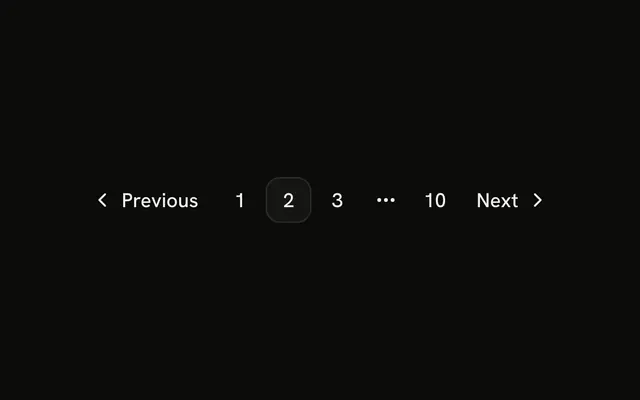
Page 1 is current. Previous is faded and skipped in the tab order, because there is no earlier page. Pages 2 and 3 and Next are ordinary links. Every href is #.
Mark Previous unavailable on the first page, and Next on the last, so people cannot leave the list. A Select can jump to a page instead of stepping. In React, Base UI fades the control once you mark it unavailable.
Installation
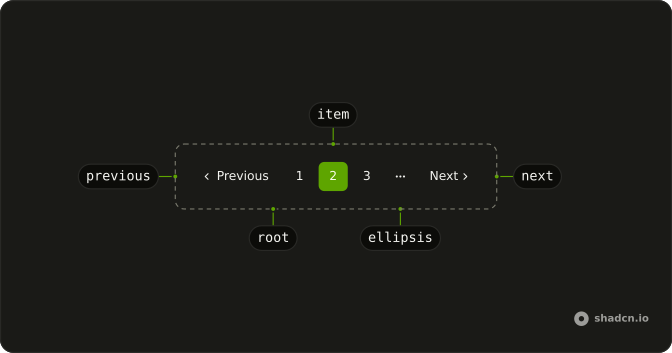
Anatomy
Usage
<Pagination>
  <PaginationContent>
    <PaginationItem>
      <PaginationPrevious aria-disabled="true" href="#" tabIndex={-1} />
    </PaginationItem>
    <PaginationItem>
      <PaginationLink href="#" isActive>
        1
      </PaginationLink>
    </PaginationItem>
    <PaginationItem>
      <PaginationLink href="#">2</PaginationLink>
    </PaginationItem>
    <PaginationItem>
      <PaginationLink href="#">3</PaginationLink>
    </PaginationItem>
    <PaginationItem>
      <PaginationNext href="#" />
    </PaginationItem>
  </PaginationContent>
</Pagination>
FAQ
How is Previous disabled?
PaginationPrevious takes aria-disabled="true", which the button styles fade and make ignore the pointer, and tabIndex -1, which takes it out of the tab order.
How do screen readers hear the disabled link?
As Go to previous page, dimmed or unavailable, because of aria-disabled. It stays in the reading order, so people know the control exists.
How is page 1 marked current?
isActive on that PaginationLink gives it the outline style and aria-current="page". Pages 2 and 3 are ghost links.
How do I disable Next on the last page?
The same way, on PaginationNext, when the current page is the last one. Decide both from your current page and page count.
API Reference
Pagination
Sets aria-disabled, href="#", tabIndex={-1} and isActive. The rest is on the Pagination page.