shadcn.io is an independent project built on shadcn/ui
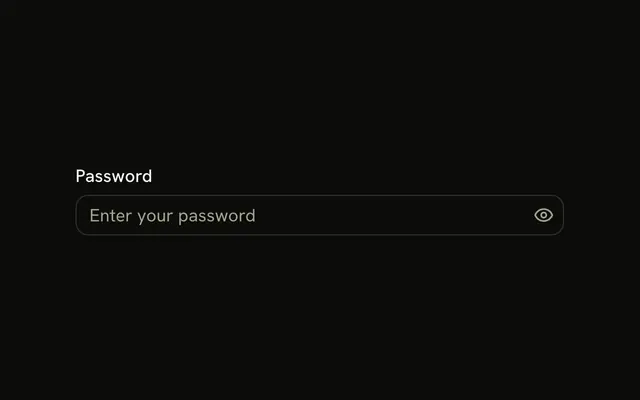
Password is masked. The note says Must be at least 8 characters long. Continue shows Password must be at least 8 characters until the value is long enough.
Use it when length is the only rule. A confirmation is a second Input you compare against this one. In React, Base UI does not measure the password.
Installation
Usage
<form className="w-full max-w-md" onSubmit={form.handleSubmit(onSubmit)}>
  <FieldGroup>
    <Controller
      control={form.control}
      name="password"
      render={({ field, fieldState }) => (
        <Field invalid={fieldState.invalid}>
          <FieldLabel htmlFor="password-input-form-password">
            Password
          </FieldLabel>
          <Input
            {...field}
            id="password-input-form-password"
            placeholder="********"
            type="password"
          />
          <FieldDescription>
            Must be at least 8 characters long.
          </FieldDescription>
          <FieldError>{fieldState.error?.message}</FieldError>
        </Field>
      )}
    />
    <Field orientation="horizontal">
      <Button type="submit">Continue</Button>
    </Field>
  </FieldGroup>
</form>
FAQ
What password does this form accept?
password is z.string().min(8, "Password must be at least 8 characters."). There is no letter, number or symbol check; see the password strength example for those.
How is the password hidden?
The Input sets type="password", so the browser masks it. The typed string is still what React Hook Form stores. The placeholder is eight asterisks.
Where are the requirements written?
FieldDescription says "Must be at least 8 characters long." When submit fails the minimum, the Field gets invalid and FieldError shows "Password must be at least 8 characters."
How is the field registered?
useForm takes zodResolver(formSchema) and defaultValues of password: "". The Controller with name="password" spreads field onto the Input. FieldLabel htmlFor matches the input's id, password-input-form-password.
API Reference
Field
Sets invalid={fieldState.invalid}, htmlFor="password-input-form-password" and orientation="horizontal". The rest is on the Field page.
Input
Sets field, id="password-input-form-password", placeholder="********" and type="password". The rest is on the Input page.
Button
Sets type="submit". The rest is on the Button page.