shadcn.io is an independent project built on shadcn/ui
The field uses the search type, so the browser can show its clear control. An empty query shows Please enter a search query. The note says to enter keywords.
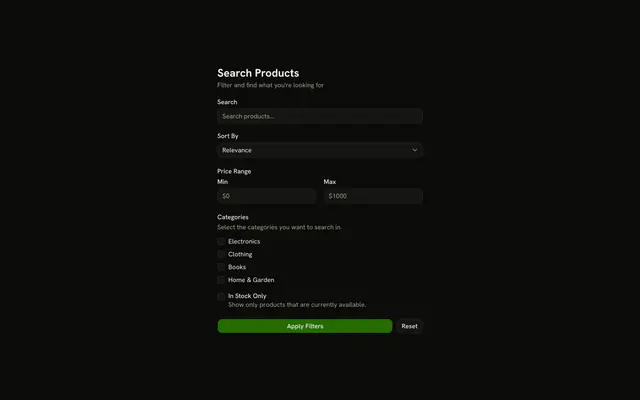
Use it for site search or a docs lookup. Sort, price, and categories need more than this Input. In React, Base UI does not block the empty submit. The schema does.
Installation
Usage
<form className="w-full max-w-md" onSubmit={form.handleSubmit(onSubmit)}>
  <FieldGroup>
    <Controller
      control={form.control}
      name="query"
      render={({ field, fieldState }) => (
        <Field invalid={fieldState.invalid}>
          <FieldLabel htmlFor="search-input-form-query">Search</FieldLabel>
          <Input
            {...field}
            id="search-input-form-query"
            placeholder="Search for anything..."
            type="search"
          />
          <FieldDescription>
            Enter keywords to search our database.
          </FieldDescription>
          <FieldError>{fieldState.error?.message}</FieldError>
        </Field>
      )}
    />
    <Field orientation="horizontal">
      <Button type="submit">Search</Button>
    </Field>
  </FieldGroup>
</form>
FAQ
What counts as an empty search?
query is z.string().min(1, "Please enter a search query."). Any one character passes, a space included. There is no maximum. Add .trim() before .min(1) to reject spaces only.
Why is the input type search?
type="search" tells browsers and assistive tech it's a search field, and many browsers add a clear button. The label is "Search" and the placeholder "Search for anything...".
What does the description say?
FieldDescription reads "Enter keywords to search our database." FieldError is the separate line under it for the empty-query message.
How does the query reach onSubmit?
defaultValues sets query to "". The Controller named query spreads field onto the Input. Search is a type="submit" button, so Enter in the field submits too, and the handler logs the values.
API Reference
Field
Sets invalid={fieldState.invalid}, htmlFor="search-input-form-query" and orientation="horizontal". The rest is on the Field page.
Input
Sets field, id="search-input-form-query", placeholder="Search for anything..." and type="search". The rest is on the Input page.
Button
Sets type="submit". The rest is on the Button page.