shadcn.io is an independent project built on shadcn/ui
The form opens on johndoe, john@example.com, a short bio, and https://johndoe.com. The bio counts toward 160. A filled website must be a valid URL. Cancel does not submit.
Use it to edit a profile that already exists. A blank profile should start empty on each Input. In React, Base UI does not load the saved values.
Installation
Usage
<form className="w-full max-w-2xl" onSubmit={form.handleSubmit(onSubmit)}>
  <FieldGroup>
    <div className="flex flex-col gap-1">
      <h3 className="font-medium text-lg">Profile Settings</h3>
      <p className="text-muted-foreground text-sm">
        Update your profile information
      </p>
    </div>
    <Controller
      control={form.control}
      name="username"
      render={({ field, fieldState }) => (
        <Field invalid={fieldState.invalid}>
          <FieldLabel htmlFor="profile-edit-form-username">
            Username
          </FieldLabel>
          <Input
            {...field}
            id="profile-edit-form-username"
            placeholder="johndoe"
          />
          <FieldDescription>
            This is your public display name.
          </FieldDescription>
          <FieldError>{fieldState.error?.message}</FieldError>
        </Field>
      )}
    />
    <Controller
      control={form.control}
      name="email"
{/* The rest of the file is under Installation. */}
FAQ
What is already filled in?
defaultValues sets the username johndoe, the email john@example.com, the bio "Software developer passionate about building great products." and the website https://johndoe.com. Load your user's saved values there, or pass them to form.reset once they arrive.
What still has to pass on save?
username is .min(3) with "Username must be at least 3 characters.", email is z.email("Please enter a valid email address."), bio is .max(160) with "Bio must not exceed 160 characters.", and website is z.url("Please enter a valid URL.") or an empty string.
How does the bio counter work?
The bio's FieldDescription prints field.value.length followed by /160 characters, so it updates on every keystroke. The 160 limit itself is checked on save.
What do the other descriptions say?
Username: "This is your public display name." Email: "Your email address is not publicly visible." Website: "Your personal website or portfolio."
API Reference
Field
Sets invalid={fieldState.invalid}, htmlFor="profile-edit-form-username", htmlFor="profile-edit-form-email", htmlFor="profile-edit-form-bio", htmlFor="profile-edit-form-website" and orientation="horizontal". The rest is on the Field page.
Input
Sets field, id="profile-edit-form-username", placeholder="johndoe", id="profile-edit-form-email", placeholder="john@example.com" and type="email". The rest is on the Input page.
Textarea
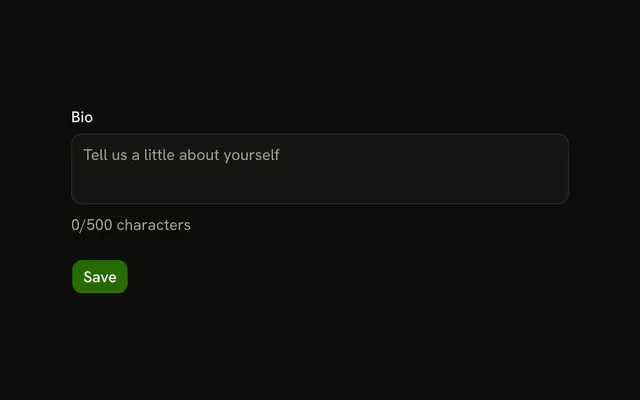
Sets field, id="profile-edit-form-bio", placeholder="Tell us about yourself" and rows={4}. The rest is on the Textarea page.
Button
Sets type="submit", type="button" and variant="outline". The rest is on the Button page.