shadcn.io is an independent project built on shadcn/ui
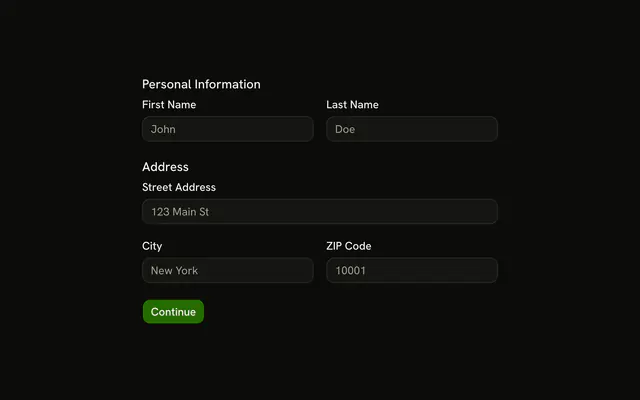
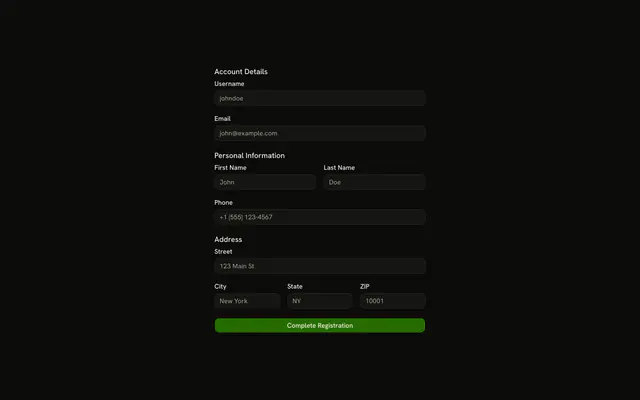
Personal Information has first name, last name, and email, each with its own note. Address has street and city, under Where are you located? The sections sit further apart than a compact form.
Use it when a longer form should feel calm, not dense. Tight sign-in spacing belongs on a compact Field. In React, Base UI does not add the extra space. The gaps do.
Installation
Usage
<form className="w-full max-w-2xl" onSubmit={form.handleSubmit(onSubmit)}>
  <FieldGroup className="gap-8">
    <FieldSet>
      <FieldLegend>Personal Information</FieldLegend>
      <FieldDescription>Tell us about yourself.</FieldDescription>
      <FieldGroup className="gap-6">
        <Controller
          control={form.control}
          name="firstName"
          render={({ field, fieldState }) => (
            <Field invalid={fieldState.invalid}>
              <FieldLabel htmlFor="spacious-form-with-sections-first-name">
                First Name
              </FieldLabel>
              <Input
                {...field}
                id="spacious-form-with-sections-first-name"
                placeholder="John"
              />
              <FieldDescription>Your legal first name.</FieldDescription>
              <FieldError>{fieldState.error?.message}</FieldError>
            </Field>
          )}
        />
        <Controller
          control={form.control}
          name="lastName"
          render={({ field, fieldState }) => (
            <Field invalid={fieldState.invalid}>
              <FieldLabel htmlFor="spacious-form-with-sections-last-name">
                Last Name
{/* The rest of the file is under Installation. */}
FAQ
Where does the extra space come from?
The outer FieldGroup is gap-8, so the two sections and Save Changes sit well apart. Inside each section, the fields' FieldGroup is gap-6. The form is max-w-2xl.
How are the two sections labeled?
Each section is a FieldSet with a FieldLegend, Personal Information or Address, and a FieldDescription under it: Tell us about yourself. and Where are you located? The legend names the group for screen readers too.
What does the schema check?
firstName, lastName, street and city are z.string().min(2) and email is z.email(). There are no custom messages, so FieldError shows Zod's defaults.
Which fields have helper text?
First name says Your legal first name., last name says Your legal last name. and email says Your primary email address. Street and city have no FieldDescription.
API Reference
Field
Sets invalid={fieldState.invalid}, htmlFor="spacious-form-with-sections-first-name", htmlFor="spacious-form-with-sections-last-name", htmlFor="spacious-form-with-sections-email", htmlFor="spacious-form-with-sections-street" and htmlFor="spacious-form-with-sections-city". The rest is on the Field page.
Input
Sets field, id="spacious-form-with-sections-first-name", placeholder="John", id="spacious-form-with-sections-last-name", placeholder="Doe" and id="spacious-form-with-sections-email". The rest is on the Input page.
Button
Sets type="submit". The rest is on the Button page.