shadcn.io is an independent project built on shadcn/ui
Three outline icon buttons for align left, align center and align right. Only one can be pressed at a time. None start pressed.
Use a single-select group for alignment, where one option replaces the others. Formats that combine belong on a multi-select Toggle Group. In React, Base UI does not align the text.
Installation
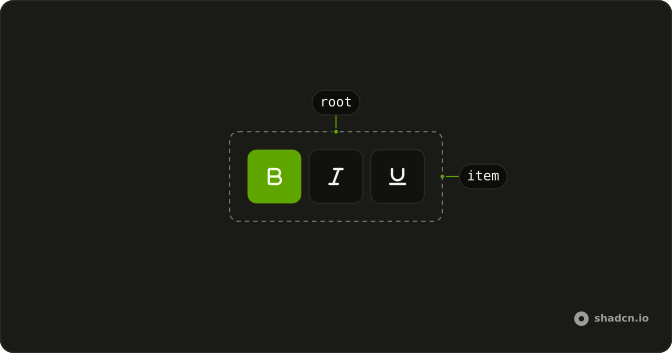
Anatomy
Usage
<ToggleGroup aria-label="Text alignment" variant="outline">
  <ToggleGroupItem aria-label="Align left" value="left">
    <AlignLeftIcon aria-hidden="true" />
  </ToggleGroupItem>
  <ToggleGroupItem aria-label="Align center" value="center">
    <AlignCenterIcon aria-hidden="true" />
  </ToggleGroupItem>
  <ToggleGroupItem aria-label="Align right" value="right">
    <AlignRightIcon aria-hidden="true" />
  </ToggleGroupItem>
</ToggleGroup>
FAQ
How does single selection enforce only one active item?
The group keeps one value. Pressing an item replaces it, so the previously pressed item releases on its own; you don't write any code for that.
Single selection is the default: leave out multiple.
What value does single selection return when controlled?
An array with one value, such as ["center"], or an empty array when nothing is pressed; onValueChange gives you the new one.
Can I have a default selected item in single-select mode?
Yes. Pass the starting value, and the group stays uncontrolled after that.
Use defaultValue with an array, such as ["left"] (default-value in Vue).
Why use alignment icons instead of text labels?
Alignment icons are familiar from every text editor and fit a compact toolbar. Each item still has an aria-label, such as "Align center", so screen readers announce the option by name. Use text labels when the options aren't widely recognized, like custom view modes.
Can I prevent users from deselecting the last active item?
Yes. By default, pressing the active item again releases it and leaves nothing selected. Control the value and ignore a change to an empty value in the change handler.
How do screen readers announce single-select toggle groups?
The group is one Tab stop and the arrow keys move between the options. Each option is announced with its aria-label and whether it's selected, and the group's aria-label, Text alignment, names the set.
The items are announced as toggle buttons, pressed or not.
API Reference
Toggle Group
Sets aria-label="Text alignment", variant="outline", aria-label="Align left", value="left", aria-label="Align center" and value="center". The rest is on the Toggle Group page.