shadcn.io is an independent project built on shadcn/ui
Three outline icon buttons for align left, align center and align right. Only one can be pressed at a time. None start pressed.
Use a single-select group for alignment, where one option replaces the others. Formats that combine belong on a multi-select Toggle Group. In Svelte, Ark UI does not align the text.
Installation
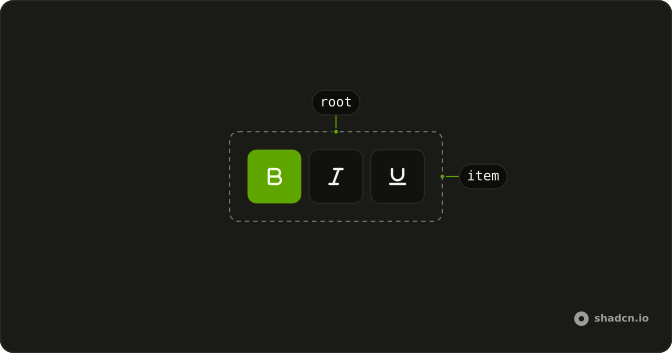
Anatomy
Usage
<ToggleGroup aria-label="Text alignment" variant="outline"><ToggleGroupItem aria-label="Align left" value="left"><AlignLeftIcon aria-hidden="true" /></ToggleGroupItem><ToggleGroupItem aria-label="Align center" value="center"><AlignCenterIcon aria-hidden="true" /></ToggleGroupItem><ToggleGroupItem aria-label="Align right" value="right"><AlignRightIcon aria-hidden="true" /></ToggleGroupItem></ToggleGroup>FAQ
How does single selection enforce only one active item?
The group keeps one value. Pressing an item replaces it, so the previously pressed item releases on its own; you don't write any code for that.
Single selection is the default: leave out multiple.
What value does single selection return when controlled?
An array with one value, such as ["center"], or an empty array when nothing is pressed; onValueChange gives you the new one.
Can I have a default selected item in single-select mode?
Yes. Pass the starting value, and the group stays uncontrolled after that.
Use defaultValue with an array, such as ["left"] (default-value in Vue).
Why use alignment icons instead of text labels?
Alignment icons are familiar from every text editor and fit a compact toolbar. Each item still has an aria-label, such as "Align center", so screen readers announce the option by name. Use text labels when the options aren't widely recognized, like custom view modes.
Can I prevent users from deselecting the last active item?
Yes. By default, pressing the active item again releases it and leaves nothing selected.
Set deselectable to false.
How do screen readers announce single-select toggle groups?
The group is one Tab stop and the arrow keys move between the options. Each option is announced with its aria-label and whether it's selected, and the group's aria-label, Text alignment, names the set.
In single mode the group is a radio group, so the items are announced as radio buttons, checked or not.
API Reference
Toggle Group
Sets aria-label="Text alignment", variant="outline", aria-label="Align left", value="left", aria-label="Align center" and value="center". The rest is on the Toggle Group page.