shadcn.io is an independent project built on shadcn/ui
A dashed box titled Optional Configuration, with a muted expand cue in brackets. Inside, Option A reads Enabled and Option B reads Disabled.
Use it for advanced settings most people can skip. If those options should always show, put them in a Card. In Solid, Ark UI does not save whether the box was open.
Installation
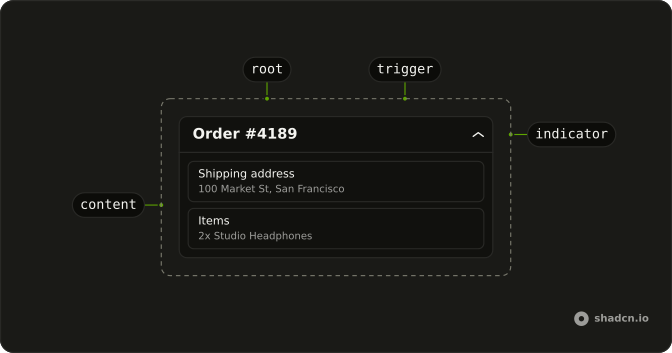
Anatomy
Usage
<Collapsible class="w-full max-w-lg rounded-lg border-2 border-dashed">
    <CollapsibleTrigger class="flex w-full items-center justify-between p-4 font-medium text-sm">
      Optional Configuration
      <span class="text-muted-foreground text-xs">[expand]</span>
    </CollapsibleTrigger>
    <CollapsibleContent class="border-t-2 border-dashed">
      <div class="flex flex-col gap-3 p-4 text-sm">
        {options.map(option => <div class="flex items-center justify-between">
            <span class="text-muted-foreground">{option.label}</span>
            <span>{option.value}</span>
          </div>)}
      </div>
    </CollapsibleContent>
  </Collapsible>
FAQ
Which parts use the dashed border?
Collapsible has rounded-lg border-2 border-dashed, and CollapsibleContent uses border-t-2 border-dashed, so the line above the options is dashed too.
What toggles Optional Configuration?
The whole header. The trigger is w-full, with the title and a muted [expand] cue in text-xs. That cue is part of the button's name.
How are Option A and Option B laid out?
They come from the options list at the top of the file, in a flex flex-col gap-3 column. Each row is flex items-center justify-between: the label in the muted color, the state at the end.
API Reference
Collapsible
No extra props in this demo. The rest is on the Collapsible page.