shadcn.io is an independent project built on shadcn/ui
A dashed card on a muted background. View source code, with a chevron, opens a short hello function in a code block.
Use it under a demo when the code is secondary. If the code is the main content, show it in a Card. In Solid, Ark UI starts this card closed.
Installation
Anatomy
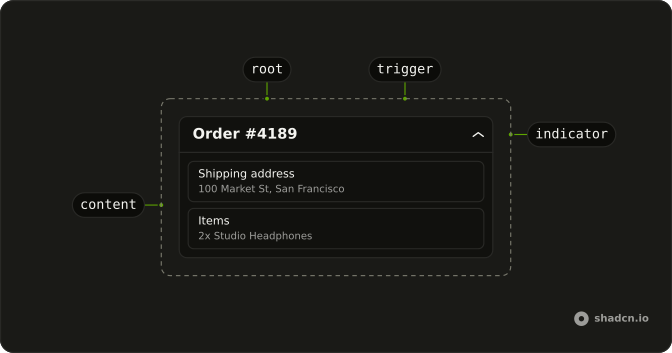
Usage
<Collapsible class="w-full max-w-lg rounded-lg border-2 border-dashed bg-muted/50">
    <CollapsibleTrigger class="group flex w-full items-center justify-between p-4 font-medium text-sm">
      View source code
      <ChevronDownIcon aria-hidden="true" class="size-4 transition-transform duration-200 group-aria-expanded:rotate-180" />
    </CollapsibleTrigger>
    <CollapsibleContent class="px-4 pb-4">
      <pre class="overflow-x-auto rounded-md bg-background p-3 text-xs">
        <code>{code}</code>
      </pre>
    </CollapsibleContent>
  </Collapsible>
FAQ
Which classes make this card quiet?
Collapsible has rounded-lg border-2 border-dashed bg-muted/50: a dashed outline on a muted fill, with no shadow. The code block inside uses bg-background so it stands out from the card.
How is the snippet marked up?
A pre with a code inside, rounded-md bg-background p-3 text-xs. The source is a string at the top of the file, so its line breaks and indentation are kept, and overflow-x-auto scrolls long lines.
Why is justify-between on the trigger?
It keeps View source code at the start and the chevron at the end of the full-width row. The trigger has the group class and sets aria-expanded while open, so group-aria-expanded:rotate-180 on ChevronDownIcon turns it, eased by transition-transform duration-200.
API Reference
Collapsible
No extra props in this demo. The rest is on the Collapsible page.