shadcn.io is an independent project built on shadcn/ui
Password is filled with weak123. The border is in the warning color, and under the field a warning icon sits beside advice to use a stronger password. The field is not marked invalid.
Use it for a problem people may ignore, such as a weak password. If they cannot submit until it is fixed, show an error on the Field. In Solid, Ark UI does not score this password.
Installation
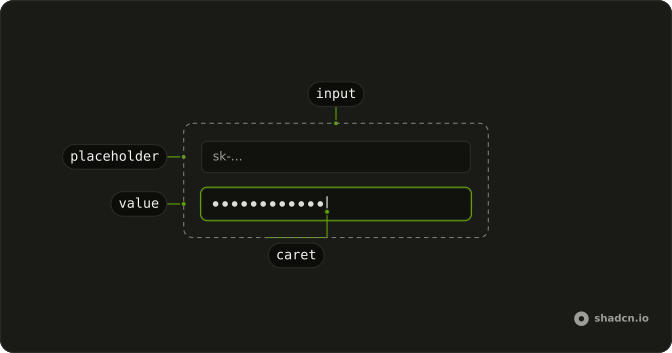
Anatomy
Usage
<Field class="w-full max-w-sm">
    <FieldLabel>Password</FieldLabel>
    <Input class="border-warning bg-background focus-visible:border-warning focus-visible:ring-warning/50" value="weak123" placeholder="Enter password" type="password" />
    <FieldDescription class="flex items-center gap-2 text-warning">
      <TriangleAlertIcon aria-hidden="true" class="size-4 shrink-0" />
      Password is weak. Consider using a stronger password
    </FieldDescription>
  </Field>
FAQ
How does the field turn amber?
Classes on the input: border-warning, plus focus-visible:border-warning and focus-visible:ring-warning/50 so the border and the ring keep the color while it's focused.
Where does the color come from?
The theme's warning color, so it adapts to light and dark mode and to your theme.
How is the advice shown?
A FieldDescription with text-warning, a TriangleAlertIcon with aria-hidden and the text of the advice.
Why not mark the field invalid?
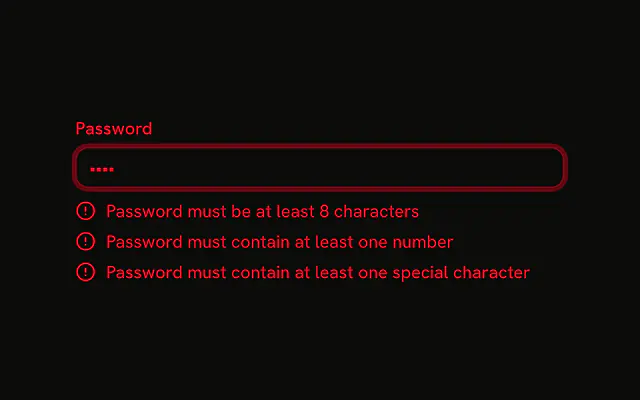
A warning doesn't block submitting, so the field isn't invalid. Use invalid and FieldError for problems that must be fixed, as the Error State example does.
API Reference
Field
No extra props in this demo. The rest is on the Field page.
Input
Sets value="weak123", placeholder="Enter password" and type="password". The rest is on the Input page.