shadcn.io is an independent project built on shadcn/ui
Show Success is an outline button. The toast says Your changes have been saved and shows the check icon. There is no detail line and no Undo.
Use it right after a save, a send, or an upload, and name what worked. If the confirmation should remain, use an Alert. In React, Base UI themes the check and does not decide the sentence.
Installation
Anatomy
Usage
<>
  <Toaster />
  <Button onClick={handleShowToast} variant="outline">
    Show Success
  </Button>
</>
FAQ
How does this demo mark the toast as a success?
The button calls toast.success with "Your changes have been saved". That sets the type to success. Toaster then uses its success icon, a CircleCheckIcon with className="size-4" and aria-hidden.
Which options does this call pass?
Only the message. This file does not pass description, duration, action, or icon. The check icon comes from the icons map on Toaster.
How do I put a detail line under the saved message?
Pass description as the second argument to toast.success. It renders under the title. This demo leaves that argument off.
How do I add an Undo button?
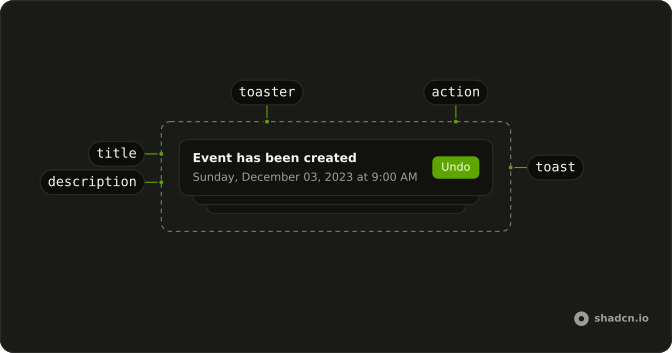
Pass action with a label and an onClick. The button sits in the toast, runs onClick, and then closes the toast. This demo does not pass action.
API Reference
Sonner
No extra props in this demo. The rest is on the Sonner page.
Button
Sets onClick={handleShowToast} and variant="outline". The rest is on the Button page.