Skip to content

shadcn.io is an independent project built on shadcn/ui

Free

Info with Title and Action Alert for Svelte

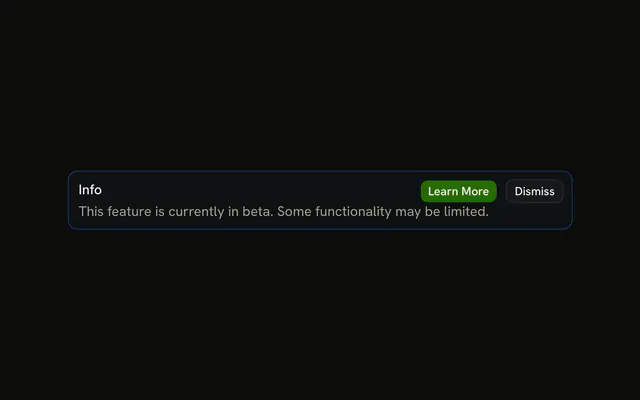
An info alert with the title Info and Learn More plus Dismiss. No icon, no description, and the buttons have no handlers.

UI library: Ark UI

The title Info on an info-tinted alert, with Learn More and Dismiss beside it. No icon and no description. The buttons have no handlers.

Keep it for a short announcement with a next step. A notice that should fade belongs in Sonner. In Svelte, Ark UI will not navigate or dismiss it.

Preview

Preview width

Installation

MCP · Pro
Make your AI a shadcn expert
Your agent installs components, builds pages and restyles your app from one prompt, in Claude Code, Cursor or VS Code.
Part of Pro

Anatomy

Alert anatomy: root, icon, title, description, action

Usage

<Alert class="max-w-lg" variant="info"><AlertTitle>Info</AlertTitle><AlertAction class="flex gap-2"><Button size="xs">Learn More</Button><Button size="xs" variant="outline">Dismiss</Button></AlertAction></Alert>

FAQ

What sits next to the title?

Learn More and Dismiss, in one AlertAction. The alert is variant="info" with a single AlertTitle and no description.

Why is Learn More a default button rather than blue?

Button has no info variant, so Learn More uses the default variant and Dismiss uses outline: the filled button is the one to press. The alert's blue tint already marks the message as information. In the info variant, ghost buttons in AlertAction take the blue hover color if you want a lighter pair.

Where are the buttons positioned?

AlertAction is absolutely positioned at the top right. The alert adds right padding so the title keeps its room. className="flex gap-2" puts the two xs buttons in a row.

How do I make Dismiss hide the alert?

Alert has no built-in dismiss. Keep whether it is shown in your own state and have Dismiss stop rendering it. The buttons in this file are static.

Can I add a third button beside these two?

Put it in the same AlertAction. That part is one absolutely positioned slot, so a second AlertAction would stack on the first. The title is only the word Info, which leaves room for the row.

API Reference

Alert

Sets variant="info". The rest is on the Alert page.

Button

Sets size="xs" and variant="outline". The rest is on the Button page.