shadcn.io is an independent project built on shadcn/ui
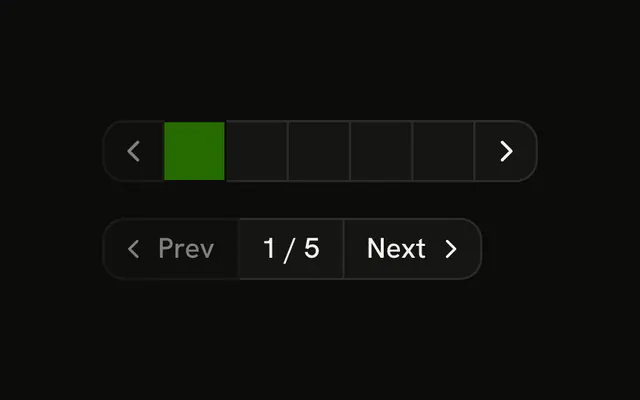
Page controls for 10 pages, opening on page 3. Previous and Next step one page and stop at the ends. Buttons for pages 1 through 5 jump there, and page 3 starts filled and marked as the current page. The compact row shows Page 3 of 10 between previous and next icons.
Use the numbers when people jump around, and the compact row on a small screen. Page links with URLs belong in Pagination. In Svelte, Ark UI does not slice the list to the current page.
Installation
Anatomy

Usage
<div class="flex flex-col gap-4"><ButtonGroup aria-label="Pagination"><Button disabled={currentPage === 1} onclick={goToPrevious} size="sm" variant="outline"><ChevronLeftIcon aria-hidden="true" data-icon="inline-start" />Previous</Button>{#each PAGES as page (page)}<Button aria-current={currentPage === page ? "page" : undefined} onclick={goToPage} size="sm" value={String(page)} variant={currentPage === page ? "default" : "outline"}>{page}</Button>{/each}<Button disabled={currentPage === TOTAL_PAGES} onclick={goToNext} size="sm" variant="outline">Next<ChevronRightIcon aria-hidden="true" data-icon="inline-end" /></Button></ButtonGroup><ButtonGroup aria-label="Pagination"><Button aria-label="Previous page" disabled={currentPage === 1} onclick={goToPrevious} size="icon-sm" variant="outline"><ChevronLeftIcon aria-hidden="true" /></Button><Button size="sm" variant="outline">Page {currentPage} of {TOTAL_PAGES}</Button><Button aria-label="Next page" disabled={currentPage === TOTAL_PAGES} onclick={goToNext} size="icon-sm" variant="outline"><ChevronRightIcon aria-hidden="true" /></Button></ButtonGroup></div>FAQ
How is the page tracked?
A number starting at 3, out of 10. Each page button carries its number as its value, and Previous and Next step by one.
When are Previous and Next disabled?
Previous on page 1 and Next on page 10, in both rows. They get disabled from those checks.
How is the current page shown?
Its button uses variant="default" and sets aria-current="page". On pages 6 to 10 none of the numbers are filled, since only 1 to 5 are listed.
What is in the compact row?
Icon-only previous and next buttons, named Previous page and Next page with aria-label, around a button that reads Page 3 of 10. That middle button has no handler.
How do I show pages around the current one?
Compute the list of page numbers from the current page, with an ellipsis where pages are skipped. The Pagination component has parts for that.
API Reference
Button Group
Sets aria-label="Pagination". The rest is on the Button Group page.
Button
Sets disabled={currentPage === 1}, onclick={goToPrevious}, size="sm", variant="outline", aria-current={currentPage === page ? "page" : undefined} and onclick={goToPage}. The rest is on the Button page.