shadcn.io is an independent project built on shadcn/ui
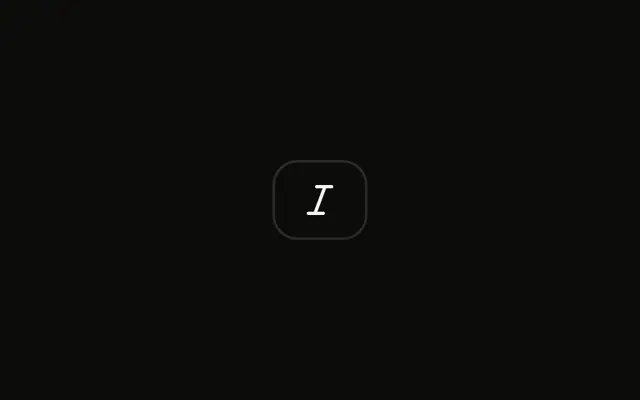
A single icon button shows a bold mark and no visible word. It is not pressed.
Use one toggle for an on/off format or filter when an icon is enough. A Switch fits a setting that is not a toolbar button. Ark UI in Svelte does not apply bold to the text.
Installation
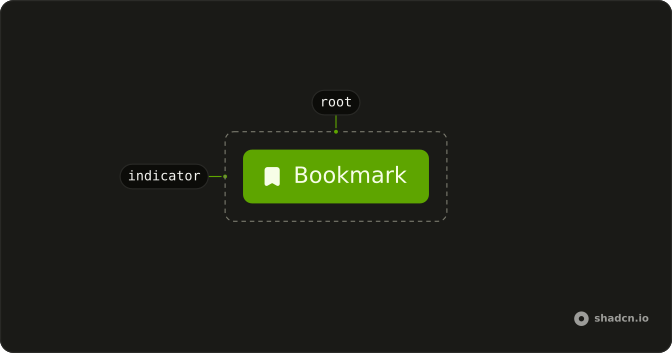
Anatomy
Usage
<Toggle aria-label="Toggle bold"><BoldIcon aria-hidden="true" /></Toggle>FAQ
How does the toggle track its pressed state without a value prop?
The Toggle is uncontrolled by default: it stores its own pressed state, flips it on a click or on Space and Enter, and exposes it as aria-pressed. It starts unpressed.
Pass defaultPressed to start it pressed.
Why is aria-label required for icon-only toggles?
An icon has no text, so without a label a screen reader announces only "toggle button, not pressed". aria-label="Toggle bold" gives the button its name, and the icon is marked aria-hidden="true" so it isn't read as well. When the label is visible, as in the Toggle with Text example, the text names the button and no aria-label is needed.
When should I use Toggle instead of Switch?
A Toggle is a button that stays pressed, like Bold in an editor toolbar, and is announced as a pressed button. A Switch turns a setting on or off, like notifications or dark mode, and is announced as a switch. Use the Toggle when the button is the state of the thing you're working on, and the Switch for a preference that applies elsewhere.
Can I change the pressed state styling?
Yes. Every Toggle sets aria-pressed while it's on, so style that attribute: for example aria-pressed:bg-primary aria-pressed:text-primary-foreground on the Toggle. To change every Toggle in your app, edit the Toggle in your ui folder instead of repeating the classes.
How do I control the pressed state of the toggle?
Keep the pressed state in your own state and pass it back to the Toggle, when other parts of the page need to read or set it.
Pass pressed; onPressedChange receives the new boolean.
How do I create a toggle group with multiple toggles?
Use the Toggle Group: wrap a ToggleGroupItem for each option in a ToggleGroup, which tracks which items are pressed and makes the row one Tab stop with arrow-key navigation.
One item is pressed at a time by default; add multiple to let several be pressed together.
API Reference
Toggle
Sets aria-label="Toggle bold". The rest is on the Toggle page.