shadcn.io is an independent project built on shadcn/ui
A single icon button shows an underline mark. It is disabled, so it is faded and does not press.
Keep a disabled toggle visible when the format exists but is unavailable. A Tooltip can say why it is off. On Svelte, Ark UI ignores presses on a disabled toggle.
Installation
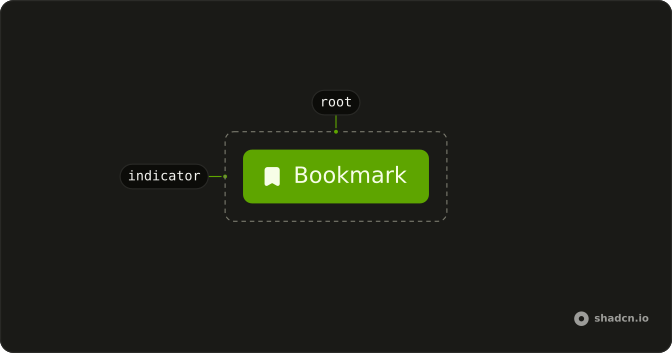
Anatomy
Usage
<Toggle aria-label="Toggle underline" disabled><UnderlineIcon aria-hidden="true" /></Toggle>FAQ
Why show disabled toggles instead of hiding them?
A disabled toggle shows that the option exists even when it can't be used right now, and the toolbar keeps its layout, so the other buttons don't move when it becomes available again. Hide the toggle only when the option makes no sense in the current context at all, not when it's temporarily unavailable.
Should I add a tooltip explaining why the toggle is disabled?
Explain it, but not only in a tooltip. A disabled Toggle ignores pointer events and can't take focus, so a tooltip on it never opens for mouse or keyboard users. Put the reason in visible text near the toolbar, such as "Select text to format it", or keep the toggle enabled and show the reason when it's pressed.
Can I customize the disabled state appearance?
Yes. The Toggle uses the disabled: variant for its faded look (disabled:opacity-50 and disabled:pointer-events-none), so add your own, such as disabled:opacity-30, on the Toggle. Keep it clearly different from the enabled state, or people will try to press it.
How do I conditionally enable or disable toggles?
Pass a boolean expression instead of a fixed value, for example disabled while a document is read-only or while nothing is selected. When the value changes, the Toggle enables or disables on the next render.
The prop is disabled.
Can a toggle be both disabled and pressed?
Yes. Start it pressed and disable it, and it shows the pressed background, faded, and can't be changed. That fits formatting that is applied but locked, such as a read-only document that still shows its bold text as bold.
Combine defaultPressed (or pressed) with disabled.
Do screen readers handle disabled toggles correctly?
Yes. The Toggle is a native button with the disabled attribute, so screen readers announce it as dimmed or unavailable along with its aria-label, and Tab skips it. Because keyboard users can't reach it, any explanation of why it's disabled has to be in text they can reach elsewhere.
API Reference
Toggle
Sets aria-label="Toggle underline" and disabled. The rest is on the Toggle page.