shadcn.io is an independent project built on shadcn/ui
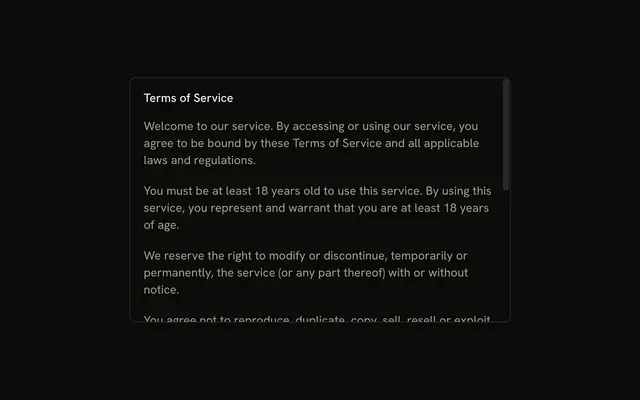
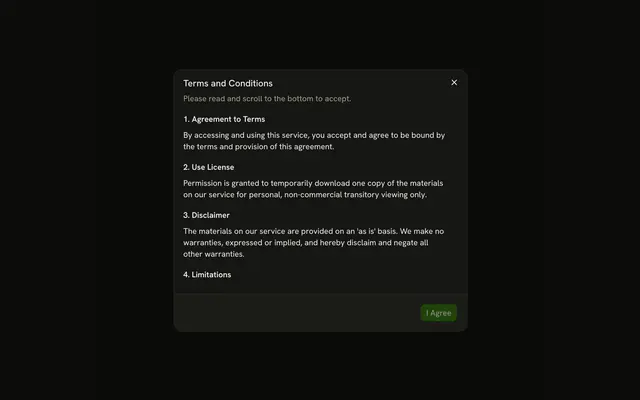
View Privacy Policy opens a dialog titled Privacy Policy. A short intro and four sections scroll in a fixed-height area. The title stays above that area, and I Understand stays below it.
Use it for a policy people should see before they continue. A document they may save belongs on a page. A Sheet leaves more of the page visible. In Svelte, Ark UI does not record that they read it.
Installation
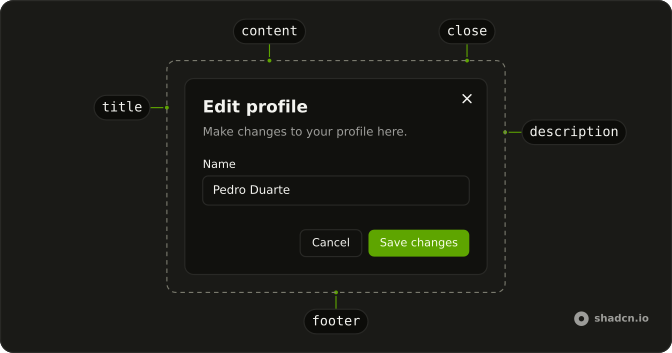
Anatomy
Usage
<Dialog><DialogTrigger>{#snippet asChild(props)}<Button {...props()} variant="outline">View Privacy Policy</Button>{/snippet}</DialogTrigger><DialogContent class="sm:max-w-lg"><DialogHeader><DialogTitle>Privacy Policy</DialogTitle><DialogDescription>Please review our privacy policy carefully.</DialogDescription></DialogHeader><ScrollArea class="h-75 pe-4"><div class="flex flex-col gap-4 text-sm"><p>We respect your privacy and are committed to protecting your personal data. This privacy policy will inform you about how we look after your personal data when you visit our website.</p>{#each sections as section (section.title)}<section class="flex flex-col gap-2"><h3 class="font-semibold">{section.title}</h3><p>{section.text}</p></section>{/each}</div></ScrollArea><DialogFooter><DialogClose>{#snippet asChild(props)}<Button {...props()}>I Understand</Button>{/snippet}</DialogClose></DialogFooter></DialogContent></Dialog>FAQ
How tall should the scroll area be?
h-75 here. On small screens a viewport-relative height such as max-h-[60vh] keeps the dialog on screen.
How do people know it scrolls?
The scroll area shows its scrollbar while scrolling. A fade at the bottom edge adds a hint that there's more.
API Reference
Dialog
No extra props in this demo. The rest is on the Dialog page.
Button
Sets props and variant="outline". The rest is on the Button page.
Scroll Area
No extra props in this demo. The rest is on the Scroll Area page.