shadcn.io is an independent project built on shadcn/ui
Project Setup and a muted Installing dependencies sit beside 35%. The bar under that block is filled to 35 percent.
Use a title and a subtitle when the bar is one step inside a larger job. A Spinner next to the subtitle is enough if that step has no size. In Svelte, Ark UI shows only the value you pass.
Installation
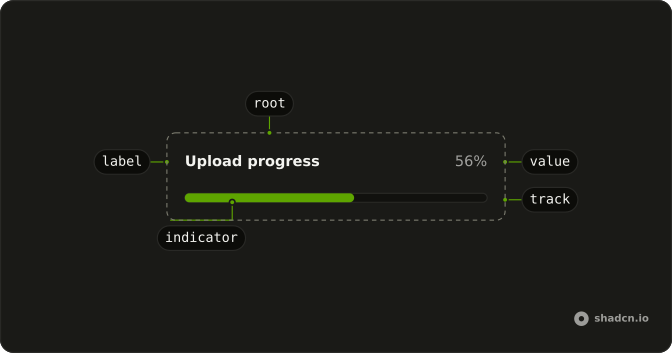
Anatomy
Usage
<Progress class="w-full max-w-md gap-2" value={35}><div class="flex flex-col"><ProgressLabel>Project Setup</ProgressLabel><span class="text-muted-foreground text-xs">Installing dependencies</span></div><ProgressValue class="font-medium text-foreground" /></Progress>FAQ
What is above the bar?
A column with ProgressLabel, Project Setup, over a muted span, Installing dependencies. ProgressValue sits at the end of the same row, and the full-width track wraps below.
Which line names the bar?
ProgressLabel is visible text: Ark UI puts the progressbar role on the track and names it with the value text, 35%.
The subtitle is plain text.
How do I have the subtitle read too?
The demo doesn't connect it.
It is read in order with the label. Progress renders the track, which holds the progressbar role, for you, so attributes on Progress don't reach it.
API Reference
Progress
Sets value={35}. The rest is on the Progress page.