shadcn.io is an independent project built on shadcn/ui
Five portrait images sit in one row inside a bordered panel. Each is captioned with an artist, starting with Ornella Binni. The row scrolls sideways.
Scroll sideways for a strip of images that should stay on one line. A Carousel fits if people should move one image at a time. On Svelte, Ark UI does not size the pictures.
Installation
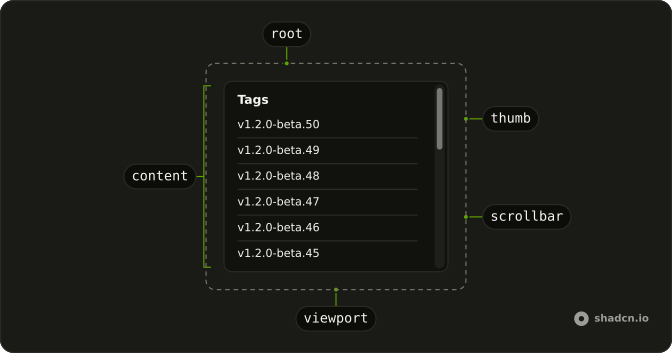
Anatomy
Usage
<ScrollArea class="w-full max-w-md whitespace-nowrap rounded-md border"><div class="flex w-max gap-4 p-4">{#each artworks as artwork (artwork.artist)}<figure class="shrink-0"><div class="overflow-hidden rounded-md"><img alt={`Artwork by ${artwork.artist}`} class="aspect-[3/4] h-fit w-fit object-cover" height={400} src={artwork.art} width={300} /></div><figcaption class="pt-2 text-muted-foreground text-xs">Photo by{" "}<span class="font-semibold text-foreground">{artwork.artist}</span></figcaption></figure>{/each}</div></ScrollArea>FAQ
Why do the artworks scroll sideways?
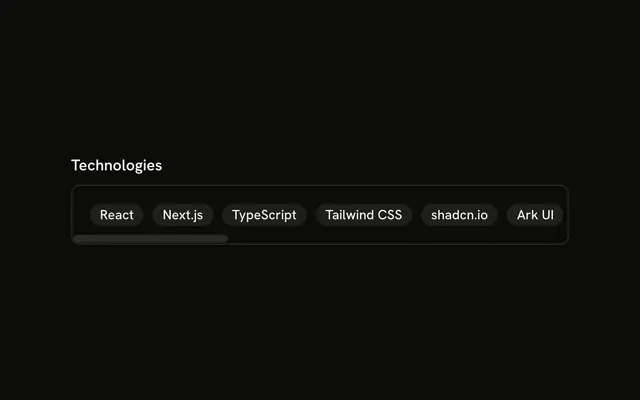
The inner row is flex w-max gap-4, so it is as wide as the five figures. ScrollArea is only max-w-md, and whitespace-nowrap is on the area. Each figure has shrink-0, so a figure keeps its width.
Where is the horizontal bar?
Both bars are already rendered, so this strip does not add another ScrollBar.
How is one artwork marked up?
A figure with shrink-0. The image is aspect-[3/4], h-fit w-fit, and object-cover, with width 300 and height 400. alt is "Artwork by" plus the artist's name. The figcaption is pt-2 text-xs text-muted-foreground.
Where is the padding?
p-4 is on the flex row, so the first and last figure sit inset from the frame, and that padding scrolls with them. The frame itself is rounded-md border on ScrollArea.
API Reference
Scroll Area
No extra props in this demo. The rest is on the Scroll Area page.