shadcn.io is an independent project built on shadcn/ui
Featured, Popular and Recent switch a two-column grid of article cards. Featured is selected. Each card has a badge, a title, a short description and Learn More. One title is Building Modern Web Apps.
Use tabs of cards for posts or products grouped by category. A Carousel fits when only one card should show at a time. In Svelte, Ark UI does not lay out the cards.
Installation
Anatomy
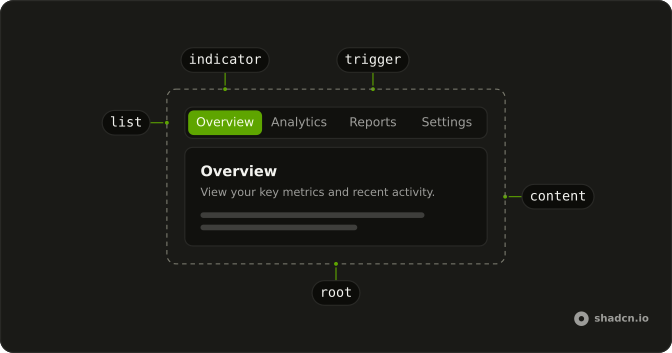
Usage
<Tabs class="w-full max-w-2xl" defaultValue="featured"><TabsList>{#each categories as category (category.value)}<TabsTrigger value={category.value}>{category.label}</TabsTrigger>{/each}</TabsList>{#each categories as category (category.value)}<TabsContent value={category.value}><div class="grid gap-4 md:grid-cols-2">{#each category.articles as article (article.title)}<div class="flex flex-col items-start rounded-lg border bg-card p-6 text-card-foreground shadow-sm"><Badge class="mb-3" variant={category.badgeVariant}>{category.badge}</Badge><h3 class="mb-2 font-semibold text-lg">{article.title}</h3><p class="mb-4 text-muted-foreground text-sm">{article.description}</p><Button size="sm" variant="outline">Learn More</Button></div>{/each}</div></TabsContent>{/each}</Tabs>FAQ
How are the three categories set up?
A categories array gives each tab its value, label, badge and two articles. The default is featured, and the group is w-full max-w-2xl.
What is the card layout?
Each panel is grid gap-4 md:grid-cols-2. From the md breakpoint up the two cards sit side by side, and below it they stack. The cards are bordered bg-card blocks.
Which badge does each card use?
Featured cards use the secondary Badge with the text Featured, Popular cards the default badge, and Recent cards the outline badge with the text New.
API Reference
Tabs
Sets defaultValue="featured" and value={category.value}. The rest is on the Tabs page.
Badge
Sets variant={category.badgeVariant}. The rest is on the Badge page.
Button
Sets size="sm" and variant="outline". The rest is on the Button page.