shadcn.io is an independent project built on shadcn/ui
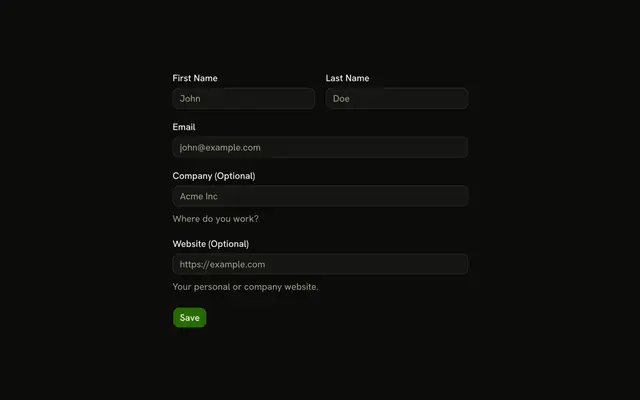
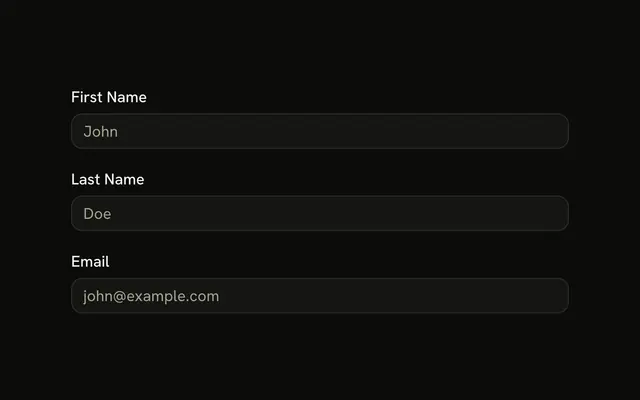
First and last name share a row and each need 2 characters. Email sits below, must be an address, and says it will be used to contact you. Create Account submits the three.
Use it for a short account step. One name field, instead of the pair, is a single Input. In React, Base UI does not put the names on one row.
Installation
Usage
<form className="w-full max-w-md" onSubmit={form.handleSubmit(onSubmit)}>
  <FieldGroup>
    <div className="grid grid-cols-2 gap-4">
      <Controller
        control={form.control}
        name="firstName"
        render={({ field, fieldState }) => (
          <Field invalid={fieldState.invalid}>
            <FieldLabel htmlFor="three-field-form-first-name">
              First Name
            </FieldLabel>
            <Input
              {...field}
              id="three-field-form-first-name"
              placeholder="John"
            />
            <FieldError>{fieldState.error?.message}</FieldError>
          </Field>
        )}
      />
      <Controller
        control={form.control}
        name="lastName"
        render={({ field, fieldState }) => (
          <Field invalid={fieldState.invalid}>
            <FieldLabel htmlFor="three-field-form-last-name">
              Last Name
            </FieldLabel>
            <Input
              {...field}
              id="three-field-form-last-name"
{/* The rest of the file is under Installation. */}
FAQ
How do first and last name sit on one row?
The two name fields are in a div with grid grid-cols-2 gap-4 inside the FieldGroup. The email field and the submit button follow at full width.
What does each name and the email check?
firstName and lastName are z.string().min(2, …) with "First name must be at least 2 characters." and "Last name must be at least 2 characters." email is z.email(…) with "Please enter a valid email address."
Which field has helper text?
Only email, whose FieldDescription says "We'll use this to contact you." The names have a label, the input and a FieldError.
What types and placeholders are set?
Email is type="email" with john@example.com. The names are text inputs with John and Doe. Each label's htmlFor matches its input's id, such as three-field-form-first-name.
API Reference
Field
Sets invalid={fieldState.invalid}, htmlFor="three-field-form-first-name", htmlFor="three-field-form-last-name", htmlFor="three-field-form-email" and orientation="horizontal". The rest is on the Field page.
Input
Sets field, id="three-field-form-first-name", placeholder="John", id="three-field-form-last-name", placeholder="Doe" and id="three-field-form-email". The rest is on the Input page.
Button
Sets type="submit". The rest is on the Button page.