shadcn.io is an independent project built on shadcn/ui
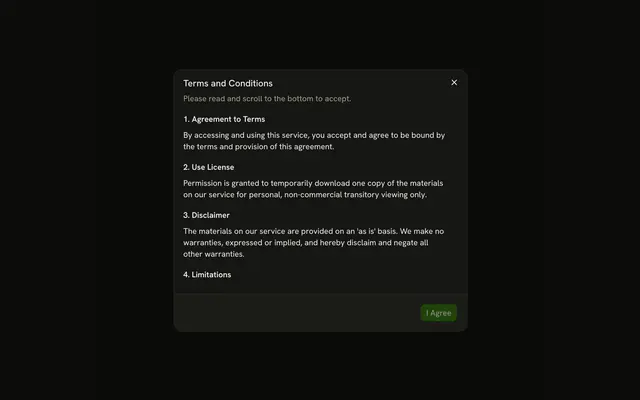
View Changelog opens a dialog titled Changelog. The header and its border stay put. Four releases scroll under it, from Version 2.1.0 through Version 1.8.0, each with a short list. Close sits in the footer.
Use it when a long list still needs its title in view. A changelog people keep open can live in a Sheet. In Vue, Ark UI does not load older releases.
Installation
Anatomy
Usage
<Dialog>
  <DialogTrigger :asChild="true">
    <Button variant="outline">View Changelog</Button>
  </DialogTrigger>
  <DialogContent class="gap-0 p-0 sm:max-w-lg">
    <DialogHeader class="border-b px-6 pt-6 pb-4">
      <DialogTitle>Changelog</DialogTitle>
      <DialogDescription>
        Recent updates and improvements to our platform.
      </DialogDescription>
    </DialogHeader>
    <ScrollArea class="h-100">
      <div class="flex flex-col gap-6 px-6 py-4">
        <section v-for="release in releases" :key="release.version">
          <h3 class="mb-2 font-semibold">{{ release.version }}</h3>
          <ul class="ms-4 flex list-disc flex-col gap-1 text-muted-foreground text-sm">
            <li v-for="change in release.changes" :key="change">{{ change }}</li>
          </ul>
        </section>
      </div>
    </ScrollArea>
    <DialogFooter class="border-t px-6 py-4">
      <DialogClose :asChild="true"><Button>Close</Button></DialogClose>
    </DialogFooter>
  </DialogContent>
</Dialog>
FAQ
How does the header stay in place?
Only the scroll area scrolls. DialogContent takes gap-0 p-0, the header gets its own padding and a border-b, and the scroll area sits between it and the footer.
Why the border under the header?
It marks where the fixed part ends and the scrolling part starts. The footer has a matching border-t.
API Reference
Dialog
Sets asChild. The rest is on the Dialog page.
Button
Sets variant="outline". The rest is on the Button page.
Scroll Area
No extra props in this demo. The rest is on the Scroll Area page.