shadcn.io is an independent project built on shadcn/ui
The title No content available and one sentence asking people to check back later. There is no icon and no button.
Use it in a compact panel where an icon would be noise. If the empty state is the whole page, add an icon with Empty. In Vue, Ark UI does not pick an icon for you.
Installation
Anatomy
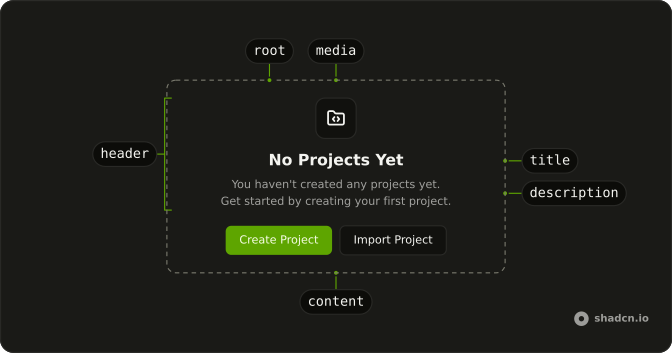
Usage
<Empty>
  <EmptyHeader>
    <EmptyTitle>No content available</EmptyTitle>
    <EmptyDescription>
      There's nothing to display at the moment. Please check back later.
    </EmptyDescription>
  </EmptyHeader>
</Empty>
FAQ
Which parts does the text-only empty state use?
EmptyHeader with EmptyTitle "No content available" and EmptyDescription "There's nothing to display at the moment. Please check back later." There is no EmptyMedia.
How do I add an icon later?
Put EmptyMedia first inside EmptyHeader, with variant="icon" and an icon. This file leaves that part out, so the header is the two text lines.
How do the title and description differ?
EmptyTitle uses the heading font. EmptyDescription is muted. Both are centered, and the header caps the line length at max-w-sm.
Is there a button?
No. There is no EmptyContent. Add one after the header when the state needs an action.
API Reference
Empty
No extra props in this demo. The rest is on the Empty page.