shadcn.io is an independent project built on shadcn/ui
Monday, Tuesday, Wednesday, Thursday and Friday sit in one row, each with a checkbox and a label. The row wraps onto a second line when it runs out of room.
Use a row for short labels such as weekdays or sizes. Stack them, or use a Toggle Group, when they should read as one control. Ark UI in Vue does not place the days in a row.
Installation
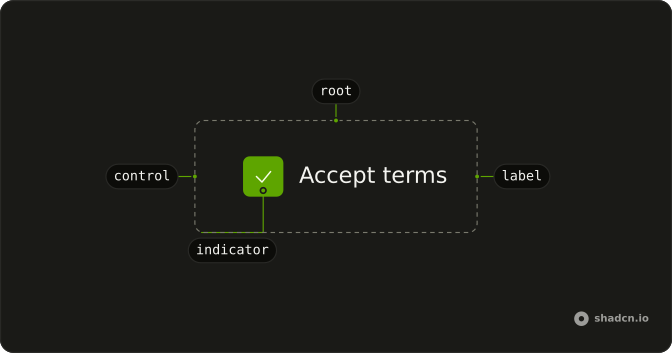
Anatomy
Usage
<div class="flex flex-wrap gap-4">
  <Field v-for="day in days" class="w-fit" :key="day.id" orientation="horizontal">
    <Checkbox :name="day.id" />
    <FieldLabel>{{ day.label }}</FieldLabel>
  </Field>
</div>
FAQ
When should I use horizontal vs vertical checkbox lists?
Horizontal suits a handful of options with one-word labels, like these five weekdays. Stack the fields in a FieldGroup when the list is longer or the labels wrap inside the row.
How does flex-wrap handle different screen sizes?
The row puts as many days on a line as fit and moves the rest to the next, with no breakpoints. gap-4 keeps the same spacing across and between lines. Each field is w-fit, so it's as wide as its label rather than the full row.
How do I center or right-align horizontal checkbox lists?
Add justify-center or justify-end to the row; every wrapped line aligns the same way. justify-end follows the reading direction, so it puts the days on the left in a right-to-left page.
Should horizontal lists stay horizontal on mobile?
For short labels like these, yes: wrapping handles narrow screens. For longer labels, stack them on small screens with flex-col sm:flex-row. If people mis-tap neighbors, give the row more gap or go vertical.
API Reference
Field
Sets v-for="day in days", key="day.id" and orientation="horizontal". The rest is on the Field page.
Checkbox
Sets name="day.id". The rest is on the Checkbox page.