shadcn.io is an independent project built on shadcn/ui
A checkbox labeled Complete the project documentation. It starts unchecked. Checking it strikes the words through and mutes them.
Use it for a checklist where finished tasks should stay on the list. A Toggle only shows pressed or not, with no sentence to strike. In Vue, Ark UI does not restyle the label.
Installation
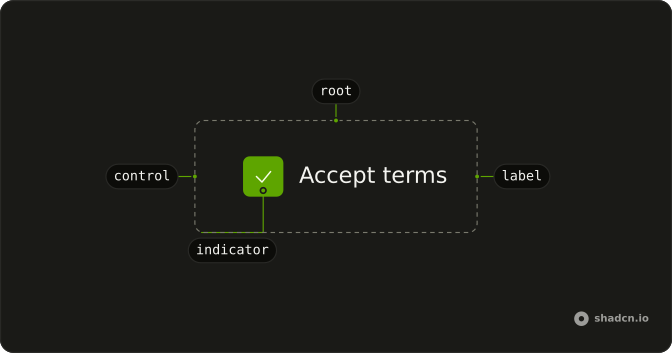
Anatomy
Usage
<Field class="w-fit" orientation="horizontal">
    <Checkbox :checked="checked" name="todo" @checked-change="handleCheckedChange" />
    <FieldLabel :class='cn(
  "transition-colors",
  checked && "text-muted-foreground line-through"
)'>
      Complete the project documentation
    </FieldLabel>
  </Field>
FAQ
How does the strikethrough styling work?
The checked value lives in state, and cn() adds line-through text-muted-foreground to the FieldLabel when it's true. Ticking the box updates the state, and the label restyles on the next render.
The state is updated from @checked-change.
Can I customize the completion animation?
transition-colors fades the color; change the speed with duration-300 or duration-75. The line itself can't animate with a plain class, so keep the effect short: completion should feel instant.
Does the task text stay when the box is checked?
Yes. The label stays in place. While checked is true, line-through and text-muted-foreground apply. Clearing the box drops those classes, because cn() adds them only for that state.
Why is this checkbox controlled?
The label has to read the same value as the box. This demo keeps checked in state, starts it at false, and passes it through. An uncontrolled box would update itself and the label would not know.
API Reference
Field
Sets orientation="horizontal" and class. The rest is on the Field page.
Checkbox
Sets checked="checked", name="todo" and checked-change="handleCheckedChange". The rest is on the Checkbox page.