shadcn.io is an independent project built on shadcn/ui
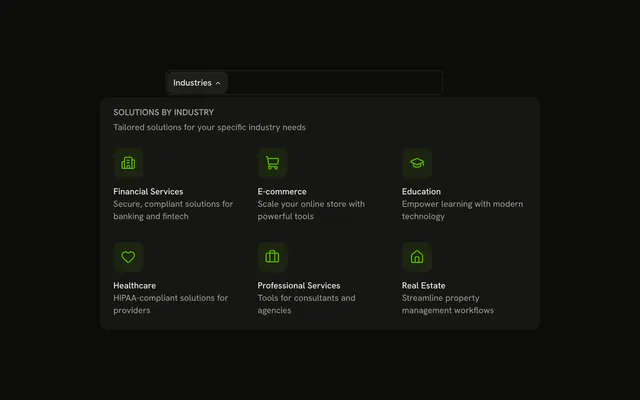
The bar shows Pricing. The panel places Starter at $9, Professional at $29, and Enterprise at Custom in a row. Professional has a Popular badge. Each plan lists a few features and a link.
Preview the plans in the header when people compare before they leave. The full comparison belongs on the page, one Card per plan. In Vue, Ark UI moves between the triggers with Tab.
Installation
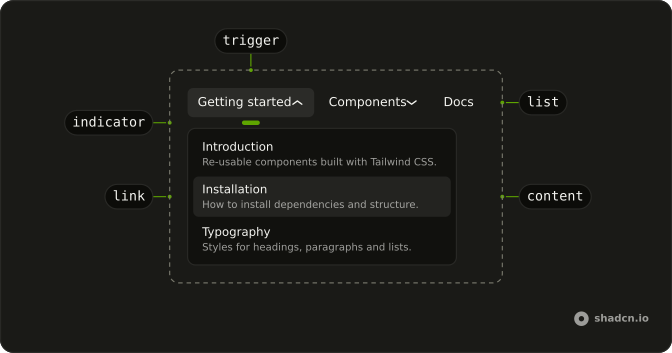
Anatomy
Usage
<div class="w-full max-w-md rounded-md border bg-background p-px">
  <NavigationMenu>
    <NavigationMenuList>
      <NavigationMenuItem>
        <NavigationMenuTrigger>Pricing</NavigationMenuTrigger>
        <NavigationMenuContent>
          <div class="grid w-[700px] max-w-full grid-cols-3 gap-4 p-2 pt-5">
            <div
              v-for="tier in pricingTiers"
              :class='cn(
                "relative flex flex-col gap-3 rounded-lg border p-4",
                tier.highlighted && "border-2 border-primary"
              )'
              :key="tier.name"
            >
              <Badge v-if="tier.badge" class="absolute inset-x-0 -top-3 mx-auto w-fit">
                {{ tier.badge }}
              </Badge>
              <div>
                <h4 class="font-semibold">{{ tier.name }}</h4>
                <div class="mt-2 flex items-baseline gap-1">
                  <span class="font-bold text-3xl">{{ tier.price }}</span>
                  <span v-if="tier.period" class="text-muted-foreground">
                    {{ tier.period }}
                  </span>
                </div>
                <p class="mt-2 text-muted-foreground text-sm">
                  {{ tier.description }}
                </p>
              </div>
              <ul class="flex flex-col gap-2">
<!-- The rest of the file is under Installation. -->
FAQ
How is the Popular plan highlighted?
Its card adds border-2 border-primary, joined with cn, and a Badge centered on its top edge. The other cards keep the plain border.
Which part of a card is the link?
Only the call to action at the bottom, Get Started or Contact Sales, is a NavigationMenuLink. The rest of the card is plain text, so the features can be read without following the link.
How do the links use my router?
Each link is your router's link rendered through NavigationMenuLink, so it keeps the menu's styles and focus handling.
NavigationMenuLink takes as-child, and the demo puts an anchor inside. Put RouterLink or NuxtLink there instead.
API Reference
Navigation Menu
Sets asChild. The rest is on the Navigation Menu page.
Badge
Sets v-if="tier.badge". The rest is on the Badge page.