shadcn.io is an independent project built on shadcn/ui
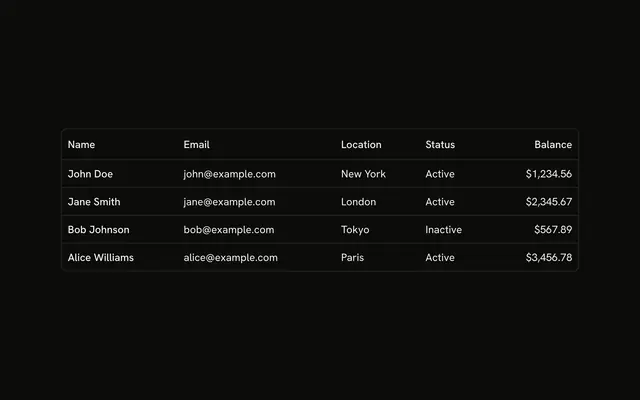
A bordered table lists transactions under ID, Description, Date and Amount. Every other row is shaded. TXN-001 is Payment received, $500.00, on 2024-01-15.
Shade alternate rows when a wide table is hard to track across. A Data List on a narrow screen keeps each record together. In Vue, Ark UI does not stripe the rows.
Installation
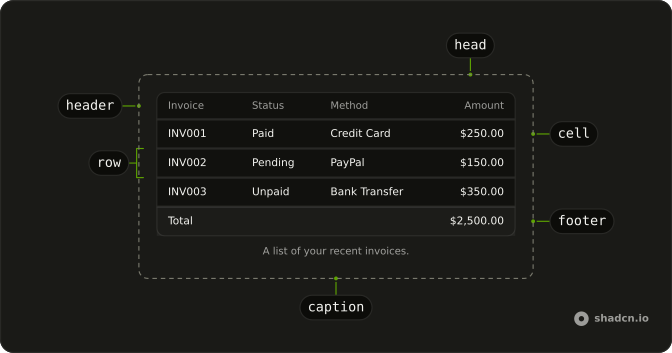
Anatomy
Usage
<div class="w-full max-w-4xl rounded-md border bg-background">
  <Table>
    <TableHeader>
      <TableRow>
        <TableHead>ID</TableHead>
        <TableHead>Description</TableHead>
        <TableHead>Date</TableHead>
        <TableHead class="text-end">Amount</TableHead>
      </TableRow>
    </TableHeader>
    <TableBody>
      <TableRow
        v-for="(transaction, index) in transactions"
        :class='index % 2 === 0 ? "bg-muted/50" : ""'
        :key="transaction.id"
      >
        <TableCell class="font-medium">{{ transaction.id }}</TableCell>
        <TableCell>{{ transaction.description }}</TableCell>
        <TableCell>{{ transaction.date }}</TableCell>
        <TableCell class="text-end">{{ transaction.amount }}</TableCell>
      </TableRow>
    </TableBody>
  </Table>
</div>
FAQ
How do the stripes get onto the rows?
In the map, index % 2 === 0 adds bg-muted/50 to that TableRow. The other rows pass an empty class. Index 0 is the first data row, so it is shaded.
Can Table stripe the rows for me?
Yes. variant="striped" on Table shades every other row with bg-muted/30. This file paints bg-muted/50 from the row index.
How is the amount aligned?
text-end on the Amount TableHead and on each amount TableCell lines the figures up on the trailing edge. The id cell is font-medium.
What identifies a transaction row?
transaction.id is the key, values such as TXN-001. The stripe uses the map index, so the shading follows the current order of transactions.
API Reference
Table
Sets v-for="(transaction, index) in transactions", class="index % 2 === 0 ? bg-muted/50 : " and key="transaction.id". The rest is on the Table page.