#analytics
5 resources tagged Analytics in Awesome shadcn/ui.
#analytics
5 resources
5 shadcn/ui resources for analytics: libraries, registries, templates and tools. Each with a screenshot, a write-up and its links.
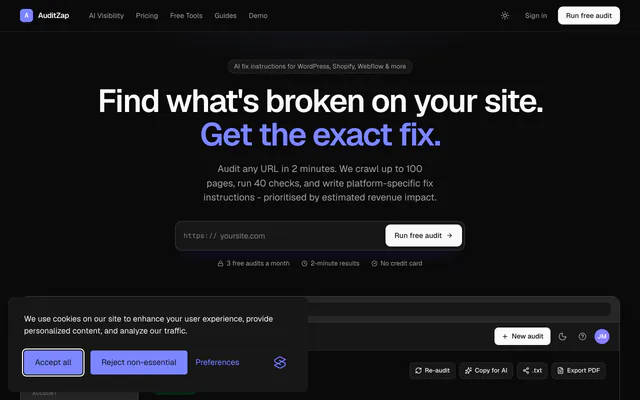
 AuditZapAppAuditZap crawls a site, runs SEO, performance and AI search checks, and writes platform-specific fixes ranked by estimated revenue impact.
 XquikAppXquik extracts tweets, replies, profiles and followers from X, monitors accounts, and posts through a REST API, MCP server and HMAC webhooks.
 GraphitupToolGraphitup turns spreadsheet data into charts and dashboards with AI, plus free online graph makers that need no signup and export in any format.
 Vercel Status TrackerAppVercel Status Tracker lists the status of the projects deployed to your Vercel team, using your Team ID and API token. Built with Tailwind and shadcn/ui.
 Globe GraphAppGlobe Graph visualizes country data, from GDP per capita to internet users and unemployment, in charts you can explore year by year across countries.

Pricing
Ship it with Pro
The directory is free. Pro adds 6,000+ blocks, 14 premium templates and the MCP server, so your AI editor installs them for you.
4.9/5 out of 5 · 150+ reviewsfrom 150+ founders and developers.
- Secure checkout via Stripe
- Code lives in your repo
- Keep what you've shipped if you cancel
- License terms
FAQ
Frequently asked questions
What the Analytics tag marks and what its resources have in common.
The Analytics tag marks resources in Awesome shadcn/ui that the directory describes by analytics. It is one of 108 tags, in the topics group.
5 resources, out of 521 in the directory.
AuditZap, Xquik, Graphitup and Vercel Status Tracker, in the directory's own order: curated, then newest first.
The Analytics tag is a topic tag. The tags page groups every tag by kind.
Apps & Platforms (4) and Tools & Utilities (1). The category tells you what each is for.
2 resources: Vercel Status Tracker and Globe Graph.
None of the resources tagged Analytics shows a license the directory could confirm. Read each one's repository or site.
None of the resources tagged Analytics lists a shadcn CLI install command. Follow each resource's own docs.
AI, Dashboard, Tailwind CSS, SaaS and Next.js, ordered by how many resources they share with Analytics.
Open a related tag from the Also tagged row at the bottom of the page, or browse all 108 on the tags page.
Categories describe what a resource is for. Open the category of a Analytics resource to see its peers: the categories page lists all 11.
With 5 resources, the Analytics page is indexed by search engines.
Use the submit page: send the link to its website or repository through the contact form, which opens with the subject "Awesome shadcn/ui submission" already filled in. A person reads it and decides whether it is listed. Say what it is and what stack it uses; the tags are part of its record in the directory.
The directory holds no price, rating or star count, so a tag cannot say how good or how costly a resource is. Analytics only describes it; read each resource's site before you depend on it.
4.9 out of 5 from 150+ developers


Found your stack? Ship it.
6,000+ blocks, premium templates and MCP in every Pro plan. The directory stays free.
Get Pro